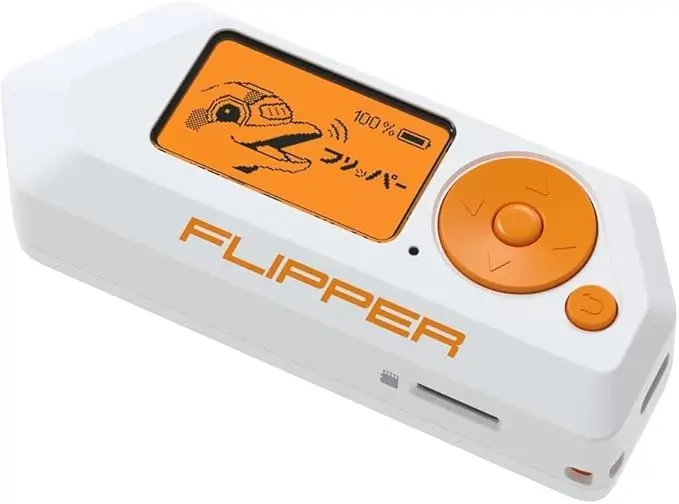
Flipper Zero App Hub 2026 – The Best New Apps Worth Installing
The Flipper Zero App Hub has grown massively over the last year, and the 2026 update brings new tools, better performance, and cleaner categories. If you’ve just set up your Flipper Zero or want to get more out of it, this guide highlights the most useful and safe apps you can install today. Each app is designed to help you learn, test devices at home, or improve your understanding of wireless technology.
What’s New in the App Hub for 2026
The App Hub now features improved search, recommended apps based on your usage, and automatic update notifications. Many of the apps have been rebuilt to support the latest firmware and offer smoother performance, better compatibility, and clearer documentation.
Essential Apps Every Beginner Should Install
Below are some of the most helpful and easy-to-use apps available in 2026:
RFID Explorer
This app gives you a clear view of any RFID tags you legally own. With better tag detection and more compatible card types in 2026, it is the perfect tool for learning how modern RFID technology works.
NFC Tools
NFC Tools lets you read NFC cards, write to blank tags, and analyse the data format. It’s ideal for experimenting with NFC automation around your home, such as creating custom NFC triggers for your phone.
Infrared Remote
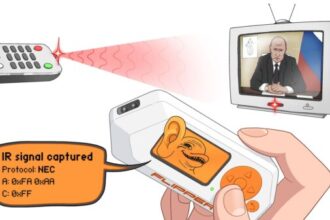
This app is still one of the most popular Flipper Zero features. The 2026 update adds expanded IR libraries, meaning more TVs, soundbars, and projectors are now compatible. It’s a simple, practical way to understand IR signalling.
Sub-GHz Scanner
The updated scanner allows you to detect more household Sub-GHz devices while filtering out restricted bands. It’s excellent for identifying wireless doorbells, sensors, and smart home equipment that you personally own.
File Browser
A must-have if you plan on managing your own saved signals, backups, or custom scripts. The 2026 version adds better folder navigation and easier file transfers.
Popular New Apps Released for 2026
Here are the standout additions users are installing this year:
Smart Meter Monitor
A new educational tool that helps you understand the wireless activity of smart home meters you legally own. It shows signal frequency, transmission intervals, and device behaviour.
Weather Sensor Decoder
This app reads signals from compatible weather stations. Many hobbyists use it to learn more about Sub-GHz communication in simple home devices.
Flipper Music Player
A fun addition that lets your Flipper Zero play short melodies using the internal speaker. Ideal for experimenting with the device’s audio capabilities.
Bluetooth Signal Finder
Designed to help identify nearby Bluetooth devices (not to connect or interact). It’s a great way to learn about Bluetooth broadcasting and signal strength patterns.
Script Runner
This app allows you to run simple sequences or automations, useful for testing learning scenarios or running repeated tasks.
How to Install Apps from the App Hub
Open the Flipper Mobile App
Select App Hub
Browse Recommended or All Apps
Tap Install on any app you want to add
Apps install quickly, and the device reboots only when necessary.
How to Keep Apps Updated in 2026
The App Hub now includes automatic update notifications. When an app you have installed receives an update, you will see an alert on the mobile app. Tap Update All to ensure everything stays current.
Keeping your apps updated avoids compatibility issues and ensures you’re using the latest features.
Which Apps to Install First
If you’re new to Flipper Zero, start with:
RFID Explorer
NFC Tools
Infrared Remote
Sub-GHz Scanner
Bluetooth Signal Finder
These apps are simple, safe, and perfect for building confidence in how the device works.