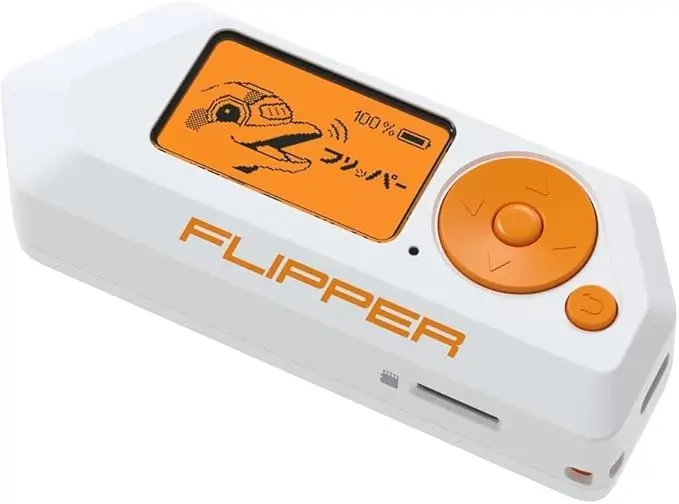
Flipper Zero Beginner Mistakes, Most problems new Flipper Zero users experience are not faults, bugs, or defects. They are mistakes caused by misunderstanding what the device is designed to do. This post breaks down the most common beginner mistakes reported by real users in 2026 and explains how to avoid them from day one.
Mistake 1: Expecting the Flipper Zero to “Hack” Things
This is the single biggest mistake.
Why it happens:
Social media videos are misleading
Older firmware behaved differently
Clickbait content exaggerates capabilities
Reality:
The Flipper Zero is a learning and testing device
It cannot hack Wi-Fi, unlock cars, or bypass security
Modern firmware actively blocks misuse
Fix:
Approach the device as an educational tool, not an exploit device.
Mistake 2: Testing Things You Don’t Own
Common examples:
Office access cards
Car park barriers
Gym doors
Neighbours’ devices
Why this is a problem:
Most systems are encrypted
Permission is required
Results will always fail
Fix:
Only test devices you own or have permission to test.
Mistake 3: Using the Wrong Menu (NFC vs RFID)
This is extremely common.
Why it happens:
Cards look identical
Users don’t understand frequency differences
Reality:
NFC = 13.56 MHz (most modern cards)
RFID = 125 kHz (older cards only)
Fix:
If RFID doesn’t work, try NFC before assuming failure.
Mistake 4: Thinking “Nothing Detected” Means Broken
Why this happens:
Encrypted systems show limited data
Rolling-code signals don’t save
Reality:
Detection without decoding means the system is secure
This is expected behaviour
Fix:
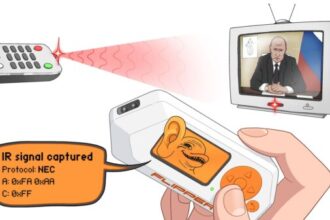
Test with known-simple devices like TV remotes or NFC tags.
Mistake 5: Ignoring Firmware Updates
Why users avoid updates:
Fear of breaking things
Assuming updates are optional
Reality:
App Hub and features depend on firmware
Old firmware causes most bugs
Fix:
Update to the latest stable version regularly.
Mistake 6: Forgetting Region Settings After Updates
Why it happens:
Firmware resets region
Users don’t re-apply settings
Symptoms:
Sub-GHz suddenly stops working
Fix:
Always check region settings after updating.
Mistake 7: Scanning Car Keys and Expecting Results
Why this fails:
Car keys use rolling codes and encryption
Reality:
Flipper Zero cannot interact with car security systems
Fix:
Use car keys only to observe signal behaviour, not replay.
Mistake 8: Assuming Phones and Flipper Should Show the Same NFC Data
Why this confuses users:
Phones hide encryption details
Flipper shows raw reality
Reality:
If Flipper shows limited data, the card is secure
Fix:
Trust the Flipper’s output.
Mistake 9: Holding Cards or Remotes Incorrectly
Common issues:
Wrong placement
Moving too fast
Too close or too far
Fix:
Hold cards flat
Use steady positioning
Keep remotes 5–20 cm away
Small positioning changes make a big difference.
Mistake 10: Leaving Power-Saving Disabled
Why it matters:
Radio performance drops
Battery drains quickly
Fix:
Disable power saving only when actively scanning.
Mistake 11: Expecting Bluetooth Pairing
Why users try this:
Bluetooth menu exists
Reality:
Flipper only detects BLE broadcasts
It cannot pair or connect
Fix:
Use Bluetooth for awareness, not control.
Mistake 12: Installing Too Many Apps Immediately
Why this causes problems:
Storage clutter
Conflicting tools
User confusion
Fix:
Install only what you need
Learn one feature at a time.
Mistake 13: Thinking “Blocked” Frequencies Are Errors
Why it happens:
Frequency restrictions are enforced
Reality:
This is compliance, not failure
Fix:
Use allowed frequencies only.
Mistake 14: Not Restarting After Updates
Why it matters:
Settings don’t apply fully
Fix:
Always reboot after firmware or app updates.
Mistake 15: Assuming Hardware Failure Too Quickly
Reality:
True hardware faults are rare
Fix:
Test IR and NFC first
If those work, the device is fine.
Mistake 16: Using It in Noisy RF Environments
Problem areas:
Cars
Server rooms
Busy offices
Fix:
Test in a quiet environment first.
Mistake 17: Expecting Results Instantly
Reality:
Learning takes experimentation
Fix:
Start with simple, repeatable tests.
Mistake 18: Following Outdated Guides
Why this is dangerous:
Firmware changes rapidly
Fix:
Use 2026-specific guides only.
Mistake 19: Not Reading What the Screen Actually Says
Many users miss:
“Encrypted”
“Rolling code detected”
“Unsupported”
These are explanations, not errors.
Mistake 20: Judging the Device Too Early
Why this happens:
Expectations were wrong
Reality:
Most users appreciate the Flipper after understanding its purpose.
Final Thoughts
Almost every beginner mistake with the Flipper Zero comes down to expectations, not technology. Once users understand what the device is meant to do—and what it deliberately avoids doing—the experience becomes far more rewarding.
This post pairs perfectly with troubleshooting and safe-use guides to reduce confusion and support requests.