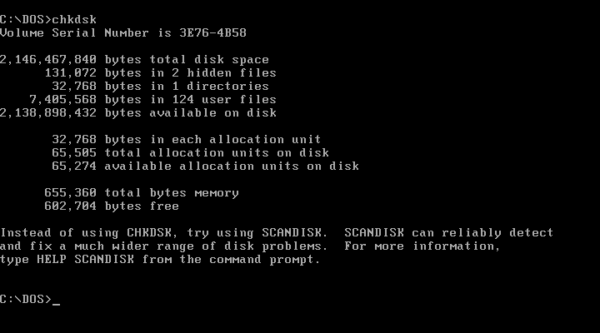
What Is DOS?, DOS stands for Disk Operating System. It is a text-based system that allows users to control a computer by typing commands instead of clicking with a mouse.
Before modern Windows interfaces existed, DOS was how users:
- Opened programs
- Managed files
- Controlled hardware
- Fixed system problems
Even today, many of those same commands still exist inside Windows.
Is DOS Still Used Today?
Yes — although not as a standalone operating system.
While modern computers no longer boot directly into DOS, DOS commands are still used every day through:
- Command Prompt (CMD)
- Windows recovery tools
- Startup repair environments
- IT troubleshooting workflows
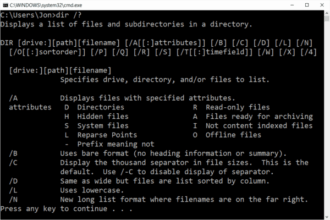
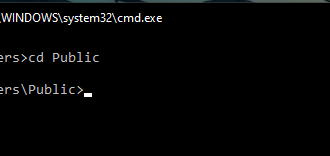
If you have ever typed a command like dir, cd, or copy in Command Prompt, you have used DOS commands.
DOS vs Command Prompt (CMD)
This is where many users get confused.
- DOS is the original system
- Command Prompt (CMD) is a Windows program that still understands DOS commands
Think of Command Prompt as:
A modern window that still speaks the DOS language
This is why DOS knowledge still works on Windows 10 and Windows 11.
Why DOS Still Matters in 2026
DOS commands matter because they are:
- Faster than clicking through menus
- Essential when Windows will not load properly
- Required for advanced troubleshooting
- Still used in guides, scripts, and repair tools
Many Windows repair instructions still say:
“Open Command Prompt and type the following…”
Without basic DOS knowledge, those instructions become difficult to follow.
What DOS Is Commonly Used For Today
DOS commands are still used for:
- Listing files and folders
- Copying or deleting files
- Navigating directories
- Checking disks for errors
- Repairing corrupted systems
- Recovering data
These tasks are especially useful when:
- Windows will not start correctly
- Files cannot be accessed normally
- You need control without a mouse
Is DOS Hard to Learn?
No.
Most people only need 10–15 basic DOS commands to be effective.
DOS commands:
- Follow simple patterns
- Use short words
- Behave consistently
This guide is designed to explain each command in plain English, one at a time.
Do You Need DOS If You Want to Learn PowerShell?
Yes — and this is a major advantage.
Learning DOS first helps you:
- Understand command-line logic
- Learn navigation and file handling
- Avoid confusion later
PowerShell builds on the same concepts but adds more power. DOS is the foundation.
Who Should Learn DOS Commands?
This section is ideal for:
- Beginners
- Office and business users
- IT learners
- Students
- Anyone following Windows repair guides
You do not need technical experience to start.
Where to Go Next
Now that you understand what DOS is, the next steps are:
- How to Open Command Prompt in Windows
- DOS Commands for Beginners
- DIR Command Explained (List Files and Folders)
Each guide builds on the last and links you forward clearly.