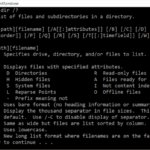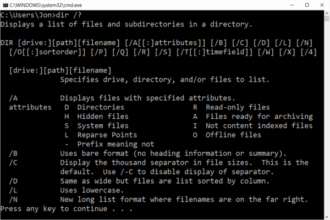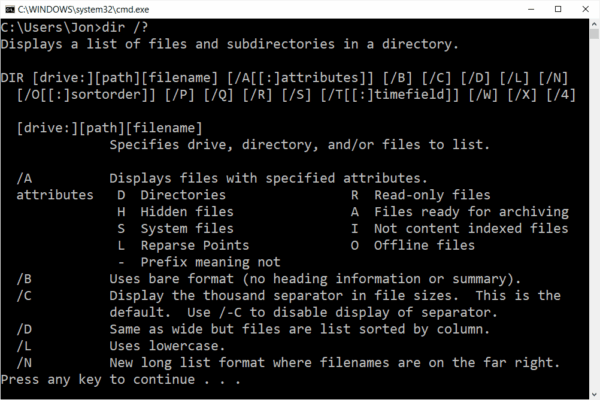
What Does the DIR Command Do?, The DIR command is a DOS command used to list files and folders inside a directory.
When you type dir into Command Prompt, Windows shows:
- Files in the current folder
- Subfolders
- File sizes
- Dates and times
This is usually the first DOS command people learn.
Basic DIR Command Syntax
The most basic form is:
dir
This lists everything in the current directory.
You do not need administrator access for basic use.
How to Use the DIR Command (Step by Step)
Steps:
- Open Command Prompt
- Type:
dir - Press Enter
You will see a list of files and folders appear immediately.
Using DIR to View a Specific Folder
You can list the contents of another folder without moving into it.
Example:
dir C:\Users
This shows all user folders on the system.
This is useful when:
- Checking file locations
- Confirming folders exist
- Troubleshooting missing files
Common DIR Command Options (Most Used)
Show Files One Screen at a Time
dir /p
Prevents long lists from scrolling past too quickly.
Show Only Folders
dir /ad
Show Only Files
dir /a-d
Show Files in a Wide Format
dir /w
Good for quickly scanning filenames.
Sort Files by Date
dir /o-d
Newest files appear first.
Why DIR Is So Important
The DIR command is used constantly because it allows you to:
- Confirm files exist
- Check file sizes
- Verify folder structures
- Troubleshoot missing or misplaced files
Almost every other DOS command relies on you knowing where files are first.
Common Problems With the DIR Command
“File Not Found”
This usually means:
- The folder path is wrong
- You are in the wrong directory
Use:
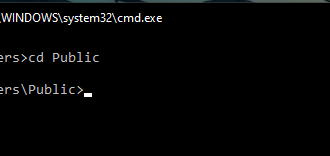
cd
to check where you are.
Output Is Too Long
Use:
dir /p
to pause output.
Is DIR Safe to Use?
Yes.
The DIR command is read-only.
It does not change or delete anything.
This makes it ideal for beginners.
What to Learn After DIR
Once you understand DIR, the next commands to learn are:
CD– change directoriesCOPY– copy filesDEL– delete files
Each builds directly on DIR.
Where to Go Next
Recommended next guides:
- CD Command Explained (Change Directories)
- Basic DOS Commands for Beginners
- DOS Commands A–Z Index