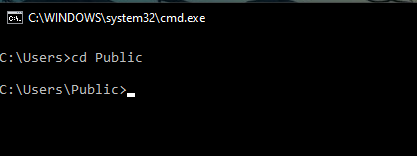
What Does the CD Command Do? The CD command (short for Change Directory) is a DOS command used to move between folders in Command Prompt.
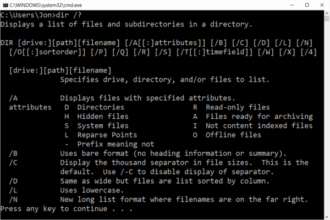
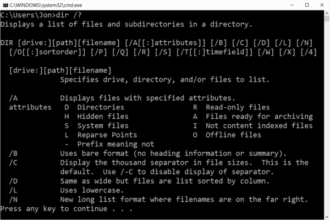
If DIR shows you what files and folders exist, CD lets you move into them.
This command is essential. Almost every other DOS task depends on being in the correct folder first.
Basic CD Command Syntax
The simplest form is:
cd foldername
This moves you into a folder located inside your current directory.
How to Use the CD Command (Step by Step)
Steps:
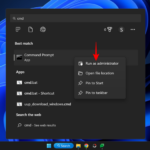
- Open Command Prompt
- Type:
cd Documents - Press Enter
You are now inside the Documents folder.
To confirm where you are, type:
cd
and press Enter.
Command Prompt will display your current location.
Moving Into a Folder With Spaces in the Name
Folders with spaces must be wrapped in quotes.
Example:
cd "Program Files"
Without quotes, the command will fail.
Using CD With a Full Path
You can jump directly to a folder anywhere on the system.
Example:
cd C:\Users\Stuart\Downloads
This is useful when:
- You know the exact location
- You want to skip multiple steps
Going Back One Folder (Very Common)
To move up one level, use:
cd ..
This is one of the most-used DOS commands.
Going Back to the Root of a Drive
To move to the top of the drive:
cd \
This takes you directly to:
C:\
Changing Drives Using CD
If you want to move from one drive to another:
D:
Then press Enter, and use CD as normal.
Common CD Command Problems
“The system cannot find the path specified”
This means:
- The folder name is incorrect
- You are in the wrong location
Use:
dir
to confirm the folder exists.
CD Does Nothing
If the command runs but nothing changes:
- You may already be in that folder
- The folder may be empty
Check with:
dir
Is the CD Command Safe?
Yes.
CD does not modify files or folders.
It only changes your location.
This makes it safe for beginners.
Why CD Is So Important
Without CD, you cannot:
- Copy files correctly
- Delete files in the right place
- Run commands on specific folders
- Follow most troubleshooting guides
CD is the navigation foundation of DOS.
What to Learn After CD
Once you understand CD, the natural next commands are:
COPY– copy filesMOVE– move filesDEL– delete files
These commands assume you know where you are.
Where to Go Next
Recommended next guides:
- COPY Command Explained (Copy Files in DOS)
- Basic DOS Commands for Beginners
- DOS Commands A–Z Index