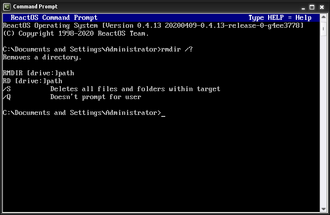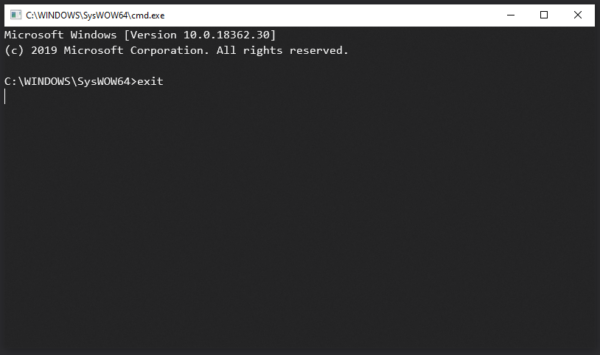
What Does the EXIT Command Do?, The EXIT command is a DOS command used to close Command Prompt.
When you run EXIT:
- The current Command Prompt session closes
- Any running commands stop
- The window exits cleanly
EXIT does not:
- Shut down your computer
- Log you out of Windows
- Delete files
It only closes the command-line session.
Basic EXIT Command Syntax
The command is simple:
exit
There are no options or switches.
How to Use the EXIT Command (Step by Step)
Steps:
- Open Command Prompt
- Type:
exit - Press Enter
The Command Prompt window closes immediately.
When Should You Use EXIT?
EXIT is commonly used when:
- You have finished running commands
- You want to close Command Prompt quickly
- You are following troubleshooting steps
- You are working in recovery environments
It is the cleanest way to end a session.
EXIT vs Closing the Window Manually
Both methods work, but there is a small difference:
- EXIT command → closes the session cleanly
- Clicking X → force-closes the window
In most cases, the result is the same.
EXIT is preferred in scripts and guided instructions.
Using EXIT in Scripts or Batch Files
In batch files, EXIT is used to:
- Stop script execution
- Close the command window when finished
- Return control to Windows
This makes EXIT important beyond basic usage.
Common EXIT Command Questions
“Will EXIT Undo My Commands?”
No.
Any changes you made (copying, deleting, creating files) remain.
“Why Did My Script Close Immediately?”
Many scripts include EXIT at the end.
This is normal behaviour.
Is the EXIT Command Safe?
Yes.
EXIT:
- Does not affect files
- Does not change system settings
- Only ends the current session
It is completely safe to use.
EXIT vs SHUTDOWN (Important Difference)
- EXIT → closes Command Prompt
- SHUTDOWN → powers off or restarts the system
They are not the same and should not be confused.
You’ve Now Learned the Core DOS Basics
At this point, users can:
- Navigate folders
- Manage files
- View structures
- Read text files
- Understand attributes
- Get help
- Exit safely
This completes the DOS Commands for Beginners path.
Where to Go Next
Recommended next sections:
- DOS Commands A–Z Index
- Common DOS Problems & Fixes
- Using DOS for Windows Repair
- DOS vs Command Prompt vs PowerShell
This is where deeper value and search traffic build.