If you are researching Microsoft 365 for small business UK, you are almost certainly weighing up whether the monthly subscription cost is genuinely justified, or whether a cheaper alternative such as Google Workspace would serve your team just as well. This guide breaks down every plan, compares real-world value, and gives you a straight answer based on what UK businesses actually need in 2025 and beyond.
Microsoft 365 has become the default productivity platform for millions of UK businesses, replacing the old box-software model with a cloud-first subscription that bundles Office apps, email, cloud storage, Teams, and security tools into a single monthly fee. But not every plan is created equal, and choosing the wrong one can mean overpaying significantly or missing features your business genuinely needs.
What Is Microsoft 365 and How Does It Differ from Office 365?
Microsoft 365 is the current branding for what was previously called Office 365. The name change in 2020 reflected a broader shift: Microsoft wanted to signal that the product had grown beyond Office apps into a full productivity and security ecosystem. For small businesses in the UK, the practical difference is that Microsoft 365 plans include everything Office 365 offered, plus additional features such as advanced security tools, Microsoft Defender, and Autopilot device management depending on the plan tier.
At its core, every business plan includes access to the familiar Office applications (Word, Excel, PowerPoint, Outlook), cloud email via Exchange, video and messaging via Microsoft Teams, and cloud storage via OneDrive and SharePoint. The higher the plan tier, the more security, compliance, and device management features are included. If you are running any kind of shared server environment, it is also worth reading our guide on what Office 365 version you can use on a terminal server, which covers important licensing rules that many businesses overlook.
Microsoft 365 Business Plans: What Is Available in the UK?
Microsoft sells four main plans aimed at small and medium businesses in the UK, each with a per-user per-month price billed either monthly or annually. Annual billing typically works out cheaper per month. Prices quoted here are indicative of current UK Microsoft pricing excluding VAT and may vary slightly between resellers.
All four plans have a ceiling of 300 users. If your business is larger than that, you would need to look at Microsoft 365 Enterprise plans instead. For the vast majority of UK SMBs, the four plans below cover everything needed.
| Plan | Approx. Monthly Cost Per User (ex VAT) | Office Apps (Desktop) | Email and Teams | Key Extras |
|---|---|---|---|---|
| Microsoft 365 Business Basic | From around £4.90 | Web and mobile only | Yes | 1 TB OneDrive, SharePoint, Teams |
| Microsoft 365 Business Standard | From around £10.30 | Yes (up to 5 devices) | Yes | Desktop Office apps, webinars, Bookings |
| Microsoft 365 Business Premium | From around £18.60 | Yes (up to 5 devices) | Yes | Defender for Business, Intune, Azure AD P1 |
| Microsoft 365 Apps for Business | From around £8.10 | Yes (up to 5 devices) | No email | OneDrive, no Exchange mailbox included |
The most popular choice for growing UK SMBs is Business Standard, which hits a practical sweet spot: full desktop Office apps, proper email, Teams, and enough storage for most teams. Business Premium is worth the additional spend for businesses handling sensitive data, regulated information, or those operating in sectors where device management and endpoint security are non-negotiable.
What Do You Actually Get for Your Money?
Beyond the headline apps, Microsoft 365 business subscriptions include a range of tools that often go unused but represent genuine value when deployed properly. Understanding the full feature set helps you evaluate whether the per-seat cost is reasonable for your business size and workflow.
Every plan from Business Basic upwards includes Microsoft Teams, which covers instant messaging, video calls, file sharing, and channel-based collaboration. For businesses that previously paid separately for Zoom or a similar tool, this alone can represent a meaningful saving. Exchange Online provides each user with a 50 GB mailbox and professional email using your own domain, which is a significant improvement over free consumer email services in terms of reliability, compliance, and professionalism.
Business Standard and above add desktop Office apps, meaning each user can install Word, Excel, PowerPoint, Outlook, and OneNote on up to five PCs or Macs, five tablets, and five smartphones. This is important for businesses where staff work offline or need full application functionality rather than the browser-based versions. Business Premium adds Microsoft Defender for Business, which provides enterprise-grade endpoint protection across all enrolled devices, along with Intune for mobile device management and Azure Active Directory Premium P1 for conditional access policies.
- Exchange Online mailboxes (50 GB per user)
- Microsoft Teams for calls, meetings, and messaging
- OneDrive with 1 TB of personal cloud storage per user
- SharePoint for team file libraries and intranet pages
- Microsoft Forms, Planner, and Lists for lightweight project management
- Microsoft Bookings for appointment scheduling (Standard and above)
- Microsoft Defender for Business and Intune (Premium only)
- Autopilot device provisioning (Premium only)
Microsoft 365 vs Google Workspace: Which Is Better for UK SMBs?
This is the comparison most UK business owners end up making, and the honest answer is that neither platform is universally better. The right choice depends almost entirely on your existing workflows, your team’s familiarity with specific tools, and whether you need deep integration with Windows-based systems and infrastructure.
Google Workspace starts from around £5 per user per month for the Business Starter plan and rises to around £18 for Business Plus. It includes Gmail, Google Drive, Docs, Sheets, Slides, Meet, and Calendar. The applications are entirely browser-based, which suits businesses that work primarily in Chrome or on Chromebooks. Google’s collaboration tools are genuinely excellent for real-time co-authoring, and many UK startups and media businesses favour them for this reason.
Microsoft 365, however, wins clearly in several areas that matter to UK SMBs operating in more traditional or regulated sectors. Desktop Office app compatibility is still critical for businesses handling complex Excel models, Word documents with tracked changes, or PowerPoint presentations that need to be shared externally. Microsoft’s security and compliance tools at the Premium tier are also considerably more mature than Google’s equivalent offering. If your business relies on Windows Server, Active Directory, or on-premises infrastructure of any kind, Microsoft 365 integrates far more cleanly. For a broader perspective on how these platforms sit within a wider cloud strategy, our guide on Microsoft 365, Azure, Google Workspace, and cloud migration covers the decision-making process in detail.
| Feature | Microsoft 365 Business Standard | Google Workspace Business Standard |
|---|---|---|
| Desktop Office apps | Yes | No (web only) |
| Email storage | 50 GB per user | 2 TB pooled per user |
| Video conferencing | Teams (up to 300 participants) | Meet (up to 150 participants) |
| File storage | 1 TB OneDrive per user | 2 TB pooled per user |
| Windows integration | Excellent | Limited |
| Security management | Good (excellent at Premium) | Good |
| Price per user per month (approx.) | From around £10.30 | From around £10.20 |
At the Business Standard price point, the two platforms are effectively priced identically for UK buyers. The decision then comes down to app preference and infrastructure fit rather than cost. For most UK businesses already using Windows PCs, Outlook, and Windows Server, staying within the Microsoft ecosystem will involve considerably less disruption and retraining than switching to Google Workspace.
Security and Compliance: Why Business Premium Is Worth Considering
One of the most underappreciated aspects of Microsoft 365 for UK small businesses is the security stack included at the Business Premium tier. Many small business owners assume that enterprise security tools are out of reach financially, but Business Premium puts a genuine set of enterprise-grade protections within reach at a per-seat cost that would have been unthinkable a decade ago.
Microsoft Defender for Business, included in Premium, provides next-generation antivirus, endpoint detection and response, and automated threat investigation across all enrolled Windows, Mac, iOS, and Android devices. Intune allows IT administrators to enforce device compliance policies, apply conditional access, and remotely wipe devices if they are lost or stolen. For businesses in healthcare, finance, legal services, or any sector subject to UK GDPR obligations, these features are not optional luxuries but practical necessities. Pairing Microsoft 365 Business Premium with hardware security keys such as those from Yubico for two-factor authentication creates a robust access control setup that meets the requirements of Cyber Essentials and similar accreditations.
Azure Active Directory Premium P1, also included in Business Premium, enables conditional access policies. This means you can configure rules such as requiring multi-factor authentication when a user logs in from an unrecognised device, or blocking access entirely from certain geographic regions. For businesses with remote or hybrid teams, this kind of access control is a significant security improvement over basic username and password authentication alone.
- Microsoft Defender for Business: endpoint protection for all enrolled devices
- Microsoft Intune: mobile device and application management
- Azure AD Premium P1: conditional access and risk-based sign-in policies
- Microsoft Purview (basic): data loss prevention and sensitivity labels
- Exchange Online Protection: anti-spam and anti-malware for email
- Microsoft Defender for Office 365 Plan 1: safe links and safe attachments
How to Buy Microsoft 365 in the UK: Direct vs Reseller
UK businesses can purchase Microsoft 365 directly from Microsoft via the Microsoft 365 admin centre, or through a Microsoft Cloud Solution Provider (CSP) reseller. Both routes give you access to the same plans and features, but buying through a CSP reseller often comes with practical advantages that are worth considering before you commit.
Buying direct from Microsoft means you manage billing, licences, and support yourself through the admin portal. Microsoft’s support for small business customers, while improving, can still be slow and frustrating for non-technical users. A CSP reseller, typically a local IT support company or managed service provider, bundles Microsoft licences with ongoing support, onboarding assistance, and often a single consolidated invoice. The price per licence through a good CSP is generally the same as buying direct, sometimes marginally cheaper due to volume arrangements, so there is little financial downside to going through a reseller if you value having a local support contact.
Regardless of how you buy, ensure you understand the commitment you are entering. Annual subscriptions offer a lower monthly rate but commit you to 12 months of spend per seat. If your headcount fluctuates significantly, month-to-month billing offers flexibility at a slightly higher per-seat cost. Adding seats mid-subscription is straightforward, but reducing them before the annual renewal date can involve paying for unused licences until the term ends.
Common Mistakes UK Small Businesses Make with Microsoft 365
Buying the wrong plan is the single most common mistake. Many businesses default to Business Basic because it is the cheapest option, then discover that their staff need full desktop Office apps for day-to-day work. Running complex Excel spreadsheets in a browser tab is not the same experience as using the desktop application, and the web versions of Word and PowerPoint lack several features used regularly in professional environments. Always audit what your team actually does before selecting a plan tier.
The second most common mistake is paying for Microsoft 365 without configuring any of the security features. Every Business Standard and Premium plan includes multi-factor authentication, and Microsoft’s Security Defaults setting can enforce it automatically across the tenant. Despite this, a significant proportion of small business tenants in the UK still have MFA disabled, leaving accounts vulnerable to credential-stuffing attacks and phishing campaigns. The admin centre includes a Microsoft Secure Score dashboard that grades your current configuration and provides specific, prioritised recommendations to improve it.
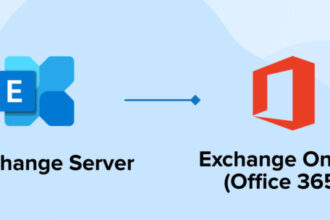
A third overlooked area is email migration. Moving from an existing email provider or on-premises Exchange server to Microsoft 365 requires careful planning to avoid data loss or downtime. Microsoft provides migration tools within the admin centre, but for businesses with complex mailbox structures, shared mailboxes, distribution lists, or public folders, it is worth engaging a specialist to manage the cutover. The process is well documented and manageable, but it is not something to rush on a Friday afternoon.
- Choosing Business Basic when staff need desktop apps
- Leaving Security Defaults and MFA unconfigured
- Not reviewing the Microsoft Secure Score dashboard
- Rushing email migration without a tested rollback plan
- Paying for Premium licences but not enrolling devices into Intune
- Failing to train staff on Teams, SharePoint, and OneDrive properly
- Over-licensing: assigning Premium to users who only need email
Is Microsoft 365 Worth It for UK Small Businesses?
For the vast majority of UK small and medium businesses, yes. When you calculate what you would spend on equivalent standalone tools, the maths generally favours Microsoft 365 even at the Business Standard price point. A business paying for Office licences separately, a third-party email host, a video conferencing tool, and a file-sharing platform would almost certainly spend more per user per month than the consolidated Microsoft 365 subscription, and with far more administrative overhead managing multiple vendors and renewals.
The value case strengthens further at Business Premium for businesses that need to demonstrate security compliance, manage remote devices, or meet GDPR obligations around data classification and access controls. The cost difference between Standard and Premium is relatively modest, and the security features included at the Premium tier would cost considerably more if sourced from third-party vendors individually. For businesses also evaluating their broader IT infrastructure, our Microsoft 365 overview provides further context on where it fits within a complete technology stack.
The only scenario where Microsoft 365 may not be the right answer is a micro-business with fewer than five users, no need for desktop Office apps, and a preference for Google’s collaboration tools. In that case, Google Workspace Business Starter is a legitimate and cost-effective alternative. But for any UK business operating at five users or above, with Windows infrastructure, professional email requirements, and a need for reliable support, Microsoft 365 represents strong value and a sound long-term investment in productivity and security.
Key Takeaways
- Microsoft 365 for small business UK comes in four main plans: Business Basic, Apps for Business, Business Standard, and Business Premium, all capped at 300 users
- Business Standard is the most popular choice for UK SMBs, offering desktop Office apps, Exchange email, Teams, and 1 TB OneDrive storage per user from around £10.30 per user per month
- Business Premium adds enterprise-grade security including Defender for Business, Intune, and Azure AD Premium P1, making it the right choice for regulated sectors or businesses handling sensitive data
- At the Business Standard price point, Microsoft 365 and Google Workspace are priced almost identically; the decision should be based on workflow fit rather than cost
- Buying through a UK Microsoft CSP reseller can provide better support, onboarding, and consolidated billing without increasing the per-licence cost
- The most common mistakes are choosing the wrong plan tier, leaving security features unconfigured, and rushing email migration
- For most UK businesses operating on Windows with five or more users, Microsoft 365 offers clear value compared to sourcing equivalent tools individually
Related Guides
- Microsoft 365 Overview: Full Platform Guide
- What Office 365 Version Can You Use on a Terminal Server?
- Microsoft 365, Azure, Google Workspace and Cloud Migration
- Yubico Security Key: Two-Factor Authentication for Business
- Multi Factor Authentication (MFA): The Game-Changer for Enhanced Security
Frequently Asked Questions
What is the cheapest Microsoft 365 plan for a small business in the UK?
The cheapest plan for businesses is Microsoft 365 Business Basic, available from around £4.90 per user per month on an annual commitment. It includes Exchange email, Teams, SharePoint, and OneDrive, but does not include full desktop Office applications. Users are limited to the browser-based versions of Word, Excel, and PowerPoint. This plan suits businesses whose staff primarily work online and do not need the full installed versions of the Office apps.
Can I mix different Microsoft 365 plans within the same organisation?
Yes. Microsoft 365 allows businesses to assign different plan tiers to different users within the same tenant. This means you could assign Business Premium licences to senior staff or those handling sensitive data, while assigning Business Basic to users who only need email and Teams access. This is a practical way to control costs without compromising on security for the users who need it most. Mixed licensing is managed through the Microsoft 365 admin centre and is straightforward to configure.
Is Microsoft 365 Business Premium worth the extra cost over Business Standard?
For many UK small businesses, yes. The price difference is approximately £8 to £9 per user per month, but Business Premium adds Microsoft Defender for Business, Intune device management, Azure AD Premium P1, and Defender for Office 365 Plan 1. If you were to purchase equivalent endpoint protection and device management tools from third-party vendors, the cost would typically exceed the premium uplift. For businesses in regulated sectors or those pursuing Cyber Essentials certification, Business Premium provides the necessary tools without additional vendor complexity.
Does Microsoft 365 include backup for emails and files?
This is a common misconception. Microsoft 365 provides high availability and geo-redundancy for its services, meaning data is protected against hardware failures and data centre outages. However, it does not provide a traditional backup solution that protects against accidental deletion, ransomware encryption, or malicious insider activity beyond a limited retention window. Microsoft themselves recommend that customers use a third-party backup solution alongside Microsoft 365. Several UK-focused cloud backup providers offer purpose-built Microsoft 365 backup products that cover Exchange, SharePoint, OneDrive, and Teams data with configurable retention periods.
How does Microsoft 365 handle UK GDPR compliance?
Microsoft 365 is designed to support UK GDPR compliance obligations and Microsoft acts as a data processor under a Data Processing Agreement included in the subscription terms. Businesses can select the European Union as their data residency region, which means data at rest is stored within EU data centres. Higher plan tiers include data loss prevention policies, sensitivity labels, and audit logging tools that help businesses demonstrate compliance. However, it is important to note that Microsoft 365 provides the tools to support compliance; the responsibility for how data is handled, shared, and governed within the platform remains with the business as the data controller.