Many people may think their passwords are enough to keep their accounts safe. However, cyber threats are more sophisticated than ever, making passwords alone insufficient. Adding Multi Factor Authentication (MFA) significantly enhances security by requiring more than just a password to access accounts.
MFA adds another step in the login process, which usually involves something the user has, like a phone or a security token. This extra layer makes it much harder for hackers to gain access, even if they have stolen a password. As online security becomes increasingly important, understanding MFA will help users protect their personal and financial information.
Embracing MFA is not just about keeping accounts secure; it is about taking control of one’s online safety. The simple act of adding this extra layer can save users from potential harms such as identity theft and financial loss. Cybersecurity is a shared responsibility, and using MFA is a vital step toward a safer digital world.
Understanding Multi-Factor Authentication
Multi-Factor Authentication (MFA) improves security by requiring two or more verification methods. This section discusses key authentication methods and how the shift from passwords to MFA enhances protection against cyber threats.
The Basics of Authentication Methods
Authentication methods validate a user’s identity. The three main types of authentication factors include:
- Knowledge Factor: This is something the user knows, like a password or PIN.
- Possession Factor: This involves something the user has, such as a mobile phone or security token.
- Inherence Factor: This refers to something inherent to the user, like biometric data (fingerprints or facial recognition).
MFA combines these factors to create a more secure process. For instance, when logging in, a user might enter a password (knowledge) and then confirm their identity with a code sent to their phone (possession). This combination makes it harder for hackers to access accounts.
Evolution from Passwords to MFA
The reliance on passwords alone has become insufficient due to increasing cyber threats. Traditional passwords can be weak, easily guessed, or stolen.
MFA addresses these vulnerabilities. By requiring multiple factors, it significantly increases account security. The first step in this evolution was two-factor authentication (2FA), which adds a second step to the login process.
As cyber attacks grew more sophisticated, organisations adopted MFA to enhance their defence. It is now a standard practice for online services, banks, and businesses. MFA not only protects against unauthorised access but also builds trust with users, knowing their information is more secure.
The Necessity of Adding MFA in Today’s Digital Environment
In today’s digital landscape, security threats have increased significantly. Adding Multi-Factor Authentication (MFA) is a crucial step in defending against these threats and protecting sensitive information.
Common Cyber Threats and Data Breaches
Cyber threats come in various forms. One of the most common is phishing attacks. These attacks trick individuals into providing personal information like passwords. This can lead to identity theft and unauthorized access.
Data breaches are another significant threat. In a data breach, hackers gain access to sensitive information from companies. This can include names, addresses, and even financial details. Once this data is in the wrong hands, it can be misused in many ways.
Statistics highlight the importance of these threats:
- In 2023, over 50% of businesses faced a cyber attack.
- The average cost of a data breach reached £3.5 million.
These figures show the urgent need for effective security measures, like MFA.
The Role of MFA in Protecting Sensitive Information
MFA adds an extra layer of protection against cyber threats. It requires users to provide at least two forms of verification before accessing accounts. This may include something they know (like a password) and something they have (like a phone).
By using MFA, the risk of unauthorized access is greatly reduced. Even if a password is compromised, hackers would still need the second factor to gain access. This makes it much harder for them to steal sensitive information.
Many organisations now require MFA for their systems. It serves as a strong defence against the rising cases of identity theft. With MFA, users can have greater confidence that their data is secure.
How MFA Works
Multi-Factor Authentication (MFA) combines various methods to verify a user’s identity. By using different authentication factors, MFA significantly enhances security. These factors can include something the user knows, has, or is.
Different Authentication Factors Explained
In MFA, factors are generally divided into three categories:
- Knowledge Factors: This includes passwords or PINs. Users must remember these details to gain access.
- Possession Factors: These are items the user has, like smartphones or security tokens. The user must possess these to complete the login process.
- Inherence Factors: This includes biometric data, such as fingerprints, facial recognition, or iris scans. These factors are unique to the user, making them hard to replicate.
Using a mix of these factors means that even if a password is stolen, the user is still protected by the other factors.
Biometric Verification: Beyond Passwords
Biometric verification uses unique physical traits to identify individuals. Common methods include:
- Fingerprints: Scanned fingerprints allow users to authenticate securely.
- Facial Recognition: This technology scans facial features and compares them to stored images.
- Iris Scans: This method captures the unique patterns in the user’s iris.
Biometric authentication is convenient. Users do not need to remember passwords. It is highly secure, as traits like fingerprints are unique and difficult to forge.
One-Time Passwords and Security Tokens
One-time passwords (OTPs) provide an additional layer of security. These are temporary codes sent to a user’s phone or email. They can only be used once, which limits the risk of interception.
Security tokens come in various forms, such as:
- Physical Tokens: These are devices that generate codes.
- Security Keys: These are USB devices or NFC tokens that authenticate users securely.
Both OTPs and security tokens protect accounts even if a password is compromised. Users must have the second factor to gain access, making unauthorised access much harder.
Implementing MFA for Enhanced Security
Implementing Multi-Factor Authentication (MFA) significantly boosts security while addressing user experience. With best practices in place, organisations can find a balance between security measures and user convenience.
Best Practices in Deploying MFA Solutions
When deploying MFA, organisations should start with a clear strategy. This includes assessing current security settings and identifying critical systems that require protection.
Key practices include:
- Choose Reliable MFA Methods: Options like SMS, email codes, or authenticator apps should be evaluated for their effectiveness and user acceptance.
- Use Password Managers: These tools can help users create strong, unique passwords while facilitating MFA.
- Implement Compliance Standards: Ensure that MFA solutions meet industry regulations, which can enhance trust and security.
Regular training for employees about MFA usage can further improve compliance and understanding of secure practices.
Security and Convenience: Striking the Right Balance
Finding the right balance between security and convenience is crucial in MFA implementation. If MFA is too complicated, it can lead to user frustration and decreased productivity.
Strategies to improve the user experience include:
- Flexibility in Choices: Offer users various options for authentication, such as biometrics or security keys, to meet different preferences.
- Simplifying the Process: Minimising the number of steps required for authentication can enhance user satisfaction while maintaining security.
- Backup Options: Providing backup methods for MFA, such as recovery codes, can help users regain access easily without compromising security.
By optimising these elements, organisations can ensure that enhanced security measures do not hinder daily activities.
Overcoming User Resistance to Additional Security Steps
User resistance can be a significant barrier to implementing MFA. Many people view these additional steps as inconvenient.
To combat this, effective communication is essential.
Approaches to consider include:
- Educate Users: Provide information on the importance of MFA in protecting their accounts and data.
- Highlight Benefits: Communicating how MFA prevents unauthorized access can help users appreciate its value.
- Involve Users in the Process: Encourage feedback during the MFA setup and implementation. This can foster a sense of ownership and reduce resistance.
By addressing concerns and demonstrating the advantages, organisations can facilitate smoother adoption of MFA, making security a shared responsibility.
The Impact of MFA on Compliance and Cybersecurity Postures
Implementing Multi-Factor Authentication (MFA) significantly enhances compliance with regulations while strengthening a company’s cybersecurity. It addresses stringent requirements and fosters greater customer trust.
Navigating through Compliance Requirements with MFA
MFA plays a crucial role in meeting various compliance requirements across industries. Regulations like GDPR, HIPAA, and PCI DSS mandate robust security measures to protect sensitive information.
Using MFA helps organisations comply with these standards by ensuring that access is granted only after multiple forms of verification. This additional layer reduces the risk of data breaches and aligns with regulatory mandates. By demonstrating a commitment to security, companies can avoid fines and penalties that arise from non-compliance, ensuring both reputation and financial health.
Improving Customer Trust and Cybersecurity Measures
Adding MFA improves not just security but also boosts customer trust. When clients see companies implementing strong security protocols, they feel safer sharing personal information. MFA prevents unauthorised access, which is vital in today’s digital landscape.
Implementing MFA also shows that a company values its clients’ security. This can lead to increased loyalty and confidence among customers. A strong cybersecurity posture, maintained through MFA, reassures clients that their data is protected, leading to a better customer experience and stronger business relationships.
Advanced MFA Technologies and Future Trends
New technologies are shaping the future of Multi-Factor Authentication (MFA). Among them are behavioural biometrics and passwordless solutions. These innovations are changing how digital security is approached.
Exploring Behavioural Biometrics and AI in Authentication
Behavioural biometrics uses patterns in user behaviour to verify identity. This can include how a person types, moves a mouse, or interacts with their device.
AI plays a big role in this area. It helps to analyse data quickly and accurately. As users interact with their systems, AI can learn and adapt to their unique patterns.
If a user’s behaviour changes, the system can trigger additional security measures. This method reduces reliance on traditional passwords, adding a strong layer of authentication. As this technology advances, it promises to enhance security without inconveniencing users.
The Movement Towards Passwordless Authentication
Passwordless authentication aims to eliminate passwords entirely. This approach uses methods like biometrics, PINs, or hardware tokens for access.
Many cloud-based services are adopting this trend. They recognise the limitations and security risks of passwords. Passwords can be forgotten, stolen, or hacked, making them less reliable.
With passwordless solutions, users can enjoy a smoother experience while ensuring stronger authentication. This shift not only reduces password-related issues but also enhances digital security. Companies are increasingly supporting this movement, paving the way for a more secure future.
Practical Considerations for MFA
When implementing Multi-Factor Authentication (MFA), there are several important considerations. This section discusses how to secure account recovery, integrate MFA with mobile devices, and assess the efficacy of hardware security keys.
Secure Account Recovery Options
Recovering access to accounts can be challenging when MFA is enabled. It is crucial to set up secure recovery options that can restore access without compromising security.
Common methods include:
- Security Questions: Choose questions that are not easily guessed or found online.
- Backup Codes: Users can generate one-time passwords (OTP) that work if the primary method fails.
- Recovery Email or Phone Number: Ensure recovery contact details are up-to-date and secure.
Creating a reliable recovery plan helps safeguard against being locked out.
Integrating MFA with Mobile Devices and Apps
Mobile devices play a key role in MFA. Many users rely on mobile apps for authentication, making integration essential.
Popular options include:
- Authenticator Apps: Apps like Google Authenticator or Authy generate time-sensitive codes.
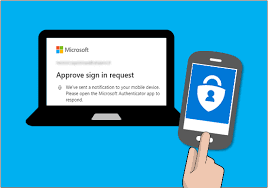
- Push Notifications: Some services send a prompt to approve or deny login attempts.
Using apps enhances convenience while maintaining security. Users should ensure that their devices are protected with a strong password or biometric lock.
Hardware Security Keys and Their Efficacy
Hardware security keys provide a physical form of MFA. These devices, such as YubiKey, plug into USB ports or connect via NFC.
Benefits of hardware security keys include:
- Stronger Protection: They are less susceptible to phishing attacks compared to SMS codes.
- Easy Use: Users simply insert the key or tap it on their device for quick authentication.
Using hardware keys can significantly enhance personal account security when integrated with online services. Adopting this method requires ensuring compatibility with the platforms being used.
The User Perspective on MFA
Users often have mixed feelings about multi-factor authentication (MFA). While they appreciate the extra security, it can sometimes complicate their login process. Understanding both the benefits and challenges helps clarify the user experience.
Balancing Security and User Experience
MFA adds an extra step during login, which can feel annoying. For many users, entering a password alone seems enough. Yet, strong passwords aren’t always sufficient against modern threats. Users want safety without sacrificing ease of access.
Implementing MFA can create a positive shift in security. Users might realise that MFA protects their sensitive information better than passwords alone. This shift in mindset is important. When users understand the value of MFA, they are more willing to adapt to the extra steps involved.
Push Notifications and Other User-Friendly Verification Methods
Push notifications offer a convenient way to verify identity. Instead of waiting for SMS codes, users receive instant alerts on their devices. This method is quicker and reduces frustration.
Other verification methods, like biometric scans, make the process seamless. Fingerprints or facial recognition take just seconds and enhance security. Users often view these methods as modern and efficient.
Users appreciate methods that streamline their experience. By using trusted devices and familiar platforms, they can maintain security while enjoying ease of access. MFA can thus balance security needs with user satisfaction.
Securing Online Transactions with MFA
Multi-Factor Authentication (MFA) greatly enhances the security of online transactions. By requiring multiple forms of verification, it ensures that only the rightful user can complete a transaction. This added layer of protection is crucial in an era where online security threats are common.
Financial Transactions and MFA
Online financial transactions are especially vulnerable to fraud. Using MFA can significantly reduce the risk. With MFA, a user must provide more than just a password. This could include a fingerprint scan or a code sent to their mobile device.
Many banks now require MFA for transactions. This means that even if a hacker steals a password, they cannot access the account without the second form of verification. This process helps keep sensitive information like credit card numbers safe.
In summary, MFA helps users feel more secure when handling money online. It acts as a safeguard against unauthorised access, ensuring that the right person performs crucial transactions.
The Role of Time-Based One-Time Passwords (TOTP)
Time-Based One-Time Passwords (TOTP) are a popular method in MFA. A TOTP is a temporary code generated every 30 seconds. Users receive this code on their mobile devices or through authentication apps.
When completing a transaction, users input their password and then the TOTP. This process makes it very hard for a hacker to gain access. They would need both the password and the TOTP, which changes frequently.
Using TOTP adds another layer to authentication methods, making accounts much safer. Many online services and financial institutions encourage users to adopt this method for added security.