Command Prompt vs PowerShell, Why This Confuses So Many People
Many users hear the terms DOS, Command Prompt, and PowerShell used interchangeably.
They are related — but they are not the same thing.
Understanding the difference helps you:
- Use the right tool
- Follow repair guides correctly
- Avoid running the wrong commands
- Progress your skills logically
This page explains the difference clearly and without jargon.
What Is DOS?
DOS (Disk Operating System) is the original text-based operating system used before Windows had a graphical interface.
Key points:
- DOS came before modern Windows
- It relied entirely on typed commands
- Many DOS commands still exist today
Although DOS itself is no longer used as an operating system, its commands live on.
What Is Command Prompt?
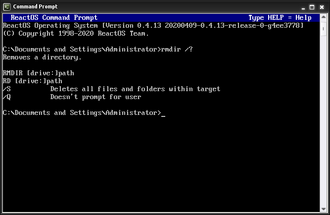
Command Prompt (CMD) is a Windows program that allows you to run DOS-style commands.
Think of Command Prompt as:
A modern window that still understands the DOS language
Key points:
- Built into all versions of Windows
- Runs classic DOS commands
- Used for troubleshooting and repair
- Still heavily referenced in guides
Most of the commands in this section run inside Command Prompt.
What Is PowerShell?
PowerShell is a more advanced command-line and scripting tool created by Microsoft.
Key points:
- More powerful than CMD
- Object-based (not just text)
- Designed for automation and administration
- Commonly used by IT professionals
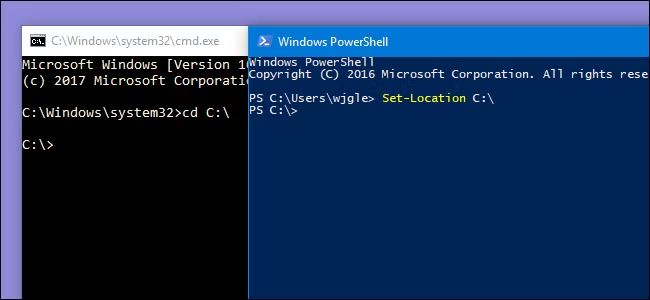
PowerShell can run many CMD/DOS commands, but also has its own, more powerful syntax.
Simple Comparison Table
| Tool | What It Is | Best Used For |
|---|---|---|
| DOS | Original command-based OS | Historical foundation |
| Command Prompt | Windows tool using DOS commands | Learning, troubleshooting, repair |
| PowerShell | Advanced scripting shell | Automation, administration |
Do DOS Commands Still Work in Windows 11?
Yes.
Many classic DOS commands still work today, including:
dircdcopydelattribchkdsk
These commands are used daily in:
- Windows recovery
- Startup repair
- IT support
- Troubleshooting guides
This is why learning DOS commands is still valuable.
Which One Should You Use?
If You Are a Beginner
Start with Command Prompt.
It is:
- Simpler
- Safer
- Easier to follow guides
- Ideal for learning foundations
If You Are Repairing Windows
Use Command Prompt.
Most repair guides use:
- DOS-style commands
- CMD-based instructions
- Recovery environments
If You Want to Advance Your Skills
Move to PowerShell after mastering basics.
PowerShell builds on:
- Navigation
- File management
- Command logic
Everything you learn here transfers forward.
Can PowerShell Replace Command Prompt?
Not completely.
While PowerShell is more powerful:
- Some legacy tools still rely on CMD
- Recovery environments often default to Command Prompt
- Many guides still reference CMD syntax
Knowing both gives you flexibility.
Why This Section Focuses on DOS Commands First
DOS commands are:
- The foundation
- Easier to learn
- Less risky
- Still widely used
Once you understand DOS commands:
- CMD becomes intuitive
- PowerShell is less intimidating
- Troubleshooting makes sense
This learning order is intentional.
Where to Go Next
Based on your goal:
- Learning basics → DOS Commands for Beginners
- Fixing Windows → Using DOS to Repair Windows
- Troubleshooting → Common DOS Problems & Fixes
- Reference → DOS Commands A–Z Index
- Advancing skills → PowerShell Guides
Each section links forward logically.