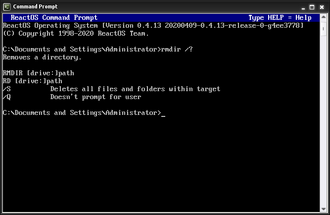
What Does the HELP Command Do?, The HELP command is a DOS command used to display a list of available commands and provide basic usage information.
It is often the first command users run when they:
- Are unsure what commands exist
- Forget command syntax
- Want quick, built-in guidance
HELP is read-only and completely safe.
Basic HELP Command Syntax
To show a list of common DOS commands:
help
This displays a scrollable list of commands supported by Command Prompt.
How to Use HELP (Step by Step)
Steps:
- Open Command Prompt
- Type:
help - Press Enter
You will see a list of commands with short descriptions.
Getting Help for a Specific Command
You can get help for an individual command by adding its name.
Example:
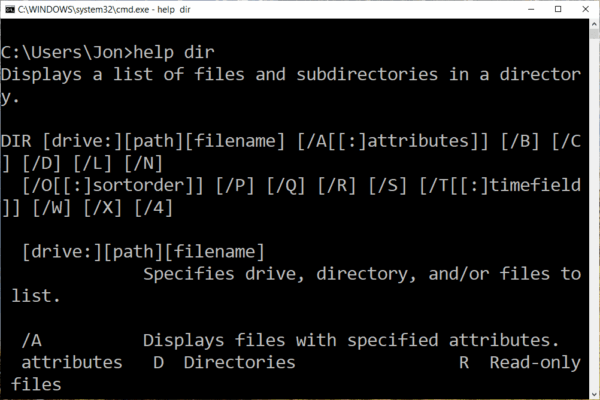
help dir
This shows:
- What the command does
- Available options
- Basic syntax
This is extremely useful when learning new commands.
Using Command-Specific Help (Alternative Method)
Many commands also support:
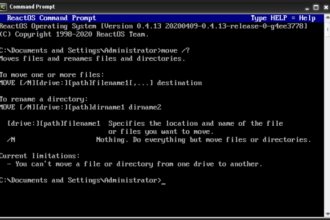
command /?
Example:
dir /?
This often provides more detailed help than help command.
For beginners, / ? is the most reliable way to understand a command fully.
When to Use HELP vs Online Guides
- HELP → quick reminders and syntax
- Guides (like this section) → step-by-step explanations and examples
HELP tells you what exists.
Guides explain how and when to use it safely.
Common HELP Command Questions
“HELP Output Is Too Long”
You can pause output using:
help | more
This allows you to scroll page by page.
“The Command I Need Is Not Listed”
Some tools are:
- External utilities
- Windows-specific tools
- PowerShell-only commands
HELP only shows built-in Command Prompt commands.
Is the HELP Command Safe?
Yes.
HELP:
- Does not modify files
- Does not change settings
- Only displays information
It can be used freely.
Why HELP Is Important for Beginners
HELP encourages:
- Self-learning
- Confidence
- Reduced mistakes
- Faster troubleshooting
Knowing HELP exists means you are never completely stuck.
What to Learn After HELP
To complete the beginner set, the final command to learn is:
EXIT– close Command Prompt safely
After that, users are ready for:
- A–Z command reference
- Troubleshooting guides
- Windows repair commands
Where to Go Next
Recommended next guides: