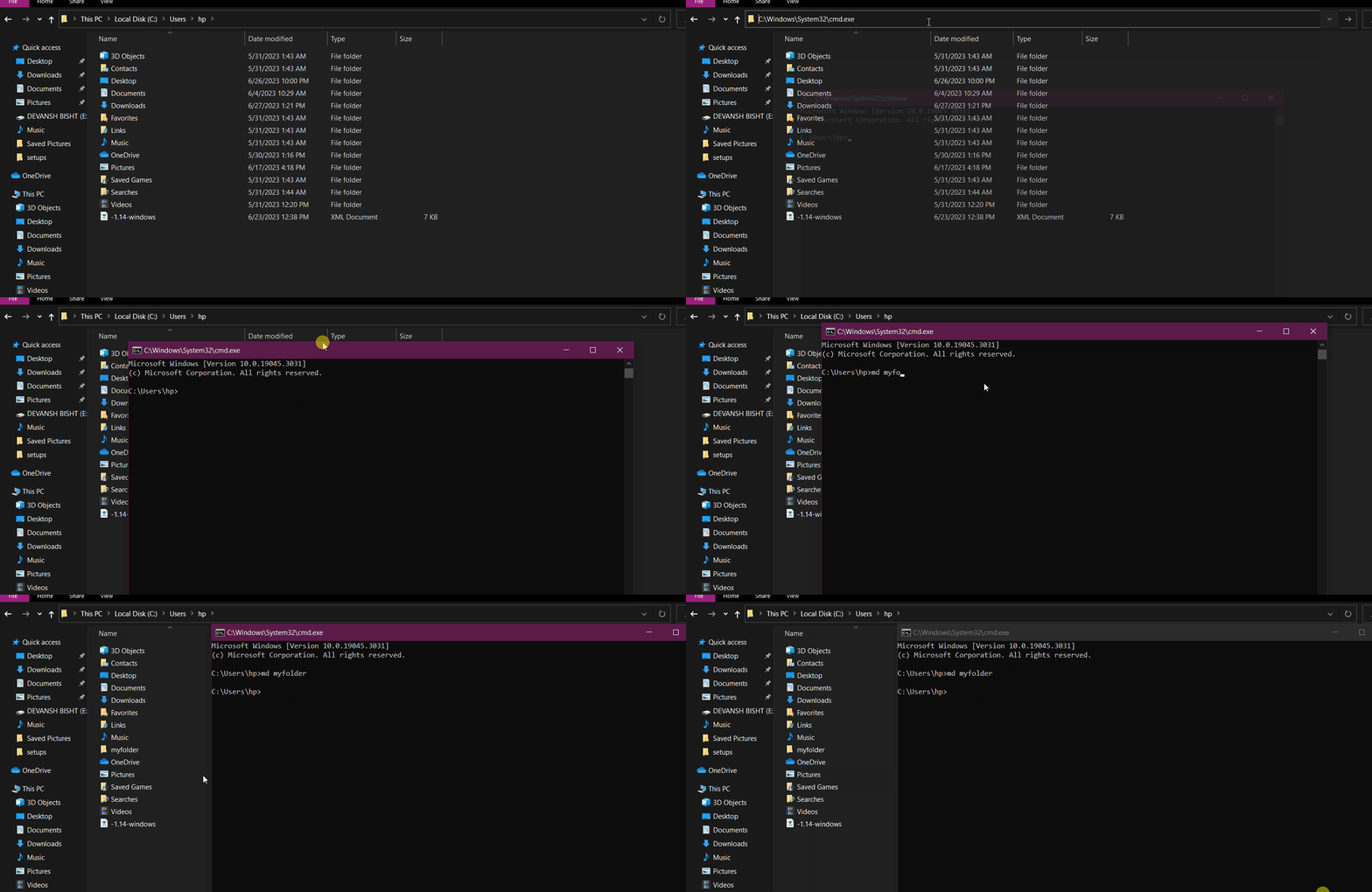
What Does the MD Command Do?, The MD command (short for Make Directory) is a DOS command used to create new folders.
You will also see it called MKDIR — both commands do exactly the same thing.
MD is safe to use and is commonly used to:
- Organise files
- Create project folders
- Prepare destinations for copied or moved files
Basic MD Command Syntax
The basic structure is:
md foldername
Example:
md Reports
This creates a new folder called Reports in the current directory.
How to Use the MD Command (Step by Step)
Steps:
- Open Command Prompt
- Navigate to where you want the folder
- Type:
md NewFolder - Press Enter
The folder is created instantly.
Creating a Folder With Spaces in the Name
Use quotation marks.
Example:
md "Project Files"
Without quotes, the command will fail.
Creating Multiple Folders at Once
You can create several folders in one command.
Example:
md Jan Feb Mar
This creates three folders:
- Jan
- Feb
- Mar
Creating Nested Folders in One Command
MD can create full folder paths automatically.
Example:
md C:\Projects\2026\ClientA
If the parent folders do not exist, MD creates them.
This is extremely useful for:
- Project structures
- Backup folders
- Organised storage
Using MD With a Full Path
You do not need to be inside the location.
Example:
md D:\Backups\Daily
This creates the folder directly.
Common MD Command Errors
“A subdirectory or file already exists”
This means:
- The folder already exists
This is not an error — nothing is overwritten.
“Access is denied”
This means:
- You do not have permission to create folders there
Try:
- Choosing another location
- Running Command Prompt as Administrator
Is MD Safe to Use?
Yes.
MD:
- Does not modify existing files
- Does not overwrite folders
- Only creates new directories
This makes it ideal for beginners.
MD vs MKDIR
There is no difference.
Both commands work the same:
md FolderName
mkdir FolderName
MD is shorter and more commonly used.
What to Learn After MD
Once you can create folders, the next command is:
RD– remove folders safely
This completes the folder management basics.
Where to Go Next
Recommended next guides: