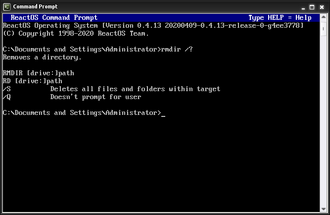
What Does the TREE Command Do?, The TREE command is a DOS command used to display the folder structure of a directory in a visual, tree-like format.
Instead of listing files one folder at a time, TREE shows:
- Parent folders
- Subfolders
- Folder hierarchy
This makes it much easier to understand how folders are organised.
Basic TREE Command Syntax
The simplest form is:
tree
This displays the folder structure of the current directory.
How to Use the TREE Command (Step by Step)
Steps:
- Open Command Prompt
- Navigate to the folder you want to examine
- Type:
tree - Press Enter
You will see a structured layout showing all subfolders.
Viewing the Folder Structure of Another Location
You do not need to move into the folder first.
Example:
tree C:\Users
This displays all user folders and their subfolders.
Displaying Files as Well as Folders
By default, TREE only shows folders.
To include files, use:
tree /f
This shows:
- Folder structure
- All files within each folder
This is very useful for:
- Auditing directories
- Checking project layouts
- Verifying backups
Using TREE With a Full Path and Files
Example:
tree D:\Projects /f
This gives a complete overview of everything inside Projects.
When the TREE Command Is Most Useful
TREE is commonly used when:
- Folder structures are confusing
- Cleaning up old files
- Verifying copied or moved data
- Documenting directory layouts
- Troubleshooting application paths
It is especially helpful before using RD /S to delete folders.
Common TREE Command Problems
Output Is Too Long
If the output scrolls too quickly:
- Resize the Command Prompt window
- Or pipe output to a file:
tree /f > structure.txt
This saves the folder structure to a text file.
“Access is denied”
This means:
- Some folders are protected
- You lack permission
You can:
- Ignore the protected folders
- Run Command Prompt as Administrator
Is the TREE Command Safe?
Yes.
TREE is read-only.
- It does not modify files
- It does not delete anything
This makes it safe for beginners and audits.
TREE vs DIR (Key Difference)
- DIR → lists files and folders in one location
- TREE → shows the entire folder hierarchy
They are often used together.
What to Learn After TREE
After TREE, the next useful commands are:
TYPE– view text file contentsATTRIB– view file attributesCLS– clear the screen
These commands improve usability and understanding.
Where to Go Next
Recommended next guides: