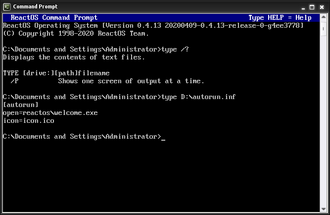
What Does the TYPE Command Do?, The TYPE command is a DOS command used to display the contents of a text file directly inside Command Prompt.
It allows you to read files such as:
.txtfiles- Log files
- Configuration files
- Output files created by other commands
TYPE is read-only — it does not change the file.
Basic TYPE Command Syntax
The simplest form is:
type filename
Example:
type notes.txt
This displays the contents of notes.txt in the Command Prompt window.
How to Use the TYPE Command (Step by Step)
Steps:
- Open Command Prompt
- Navigate to the folder containing the file
- Type:
type example.txt - Press Enter
The file contents appear immediately.
Viewing a File Using a Full Path
You do not need to be in the same folder.
Example:
type C:\Logs\error.log
This is useful when:
- Checking system logs
- Reading application output
- Diagnosing errors quickly
Viewing Long Files One Page at a Time
If the file is long, the output may scroll too fast.
Use:
type filename | more
Example:
type error.log | more
Press Enter to move through the file page by page.
Using TYPE With Output Redirection
You can combine TYPE with other commands.
Example:
type report.txt > copy.txt
This creates a new file called copy.txt with the same contents.
This is useful for:
- Creating backups
- Modifying data safely (with other tools)
Common TYPE Command Problems
“The system cannot find the file specified”
This means:
- The filename is wrong
- You are in the wrong directory
Check with:
dir
File Contents Look Garbled
TYPE works best with plain text files.
It is not suitable for:
- Word documents
- PDFs
- Binary files
Those files require dedicated applications.
Is the TYPE Command Safe?
Yes.
TYPE:
- Does not modify files
- Does not delete data
- Only reads text
It is one of the safest DOS commands to use.
TYPE vs MORE (Quick Explanation)
- TYPE → displays file contents
- MORE → controls how content is displayed
They are often used together for readability.
When TYPE Is Commonly Used
TYPE is frequently used when:
- Reading error logs
- Checking configuration files
- Viewing output from scripts
- Diagnosing system problems
It is especially useful in Windows repair environments.
What to Learn After TYPE
The next useful command is:
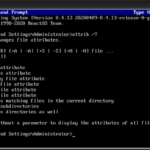
ATTRIB– view and change file attributes
This helps explain why files are hidden, read-only, or protected.
Where to Go Next
Recommended next guides: