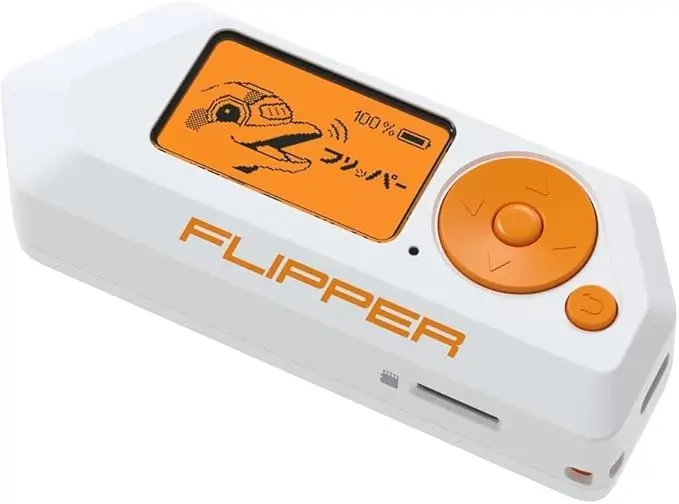
Flipper Zero Troubleshooting, This guide is based on the most common issues real Flipper Zero users report after unboxing, updating firmware, or using the device for a few days. In most cases, the device is working correctly, but expectations, settings, or environment cause confusion.
“My Flipper Zero Turns On, but Nothing I Scan Works”
Why this happens:
You’re scanning encrypted devices
You’re using the wrong menu (NFC vs RFID)
You’re testing devices you don’t own
The device you’re testing uses rolling codes
What to do:
Confirm you’re in the correct menu
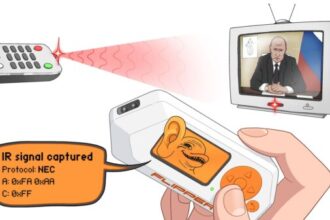
Test with something simple first (TV remote, NFC sticker)
Do not test car keys or building access cards
Update firmware and retry
This is the most common first-day issue.
“I Thought This Could Unlock Cars or Garages”
Why this happens:
Online videos are misleading
Older content shows outdated firmware
Some demonstrations are illegal or staged
Reality in 2026:
Car keys use rolling code or encrypted systems
Garage doors are protected
Flipper Zero cannot unlock vehicles
What to do instead:
Use Sub-GHz to understand signal behaviour
Learn the difference between fixed and rolling codes
Use the device for education, not access
This is not a fault — it’s a misunderstanding.
“It Detects a Signal but Won’t Save or Replay It”
Why this happens:
The signal is encrypted
The signal uses rolling code
The firmware blocks replay
What this means:
Your device is secure
The Flipper Zero is working correctly
What to do:
Use IR or NFC tags for hands-on learning
Accept that some signals cannot be stored
This is reported as a “bug” but is expected behaviour.
“After Updating, Sub-GHz Stopped Working”
Why this happens:
Region settings reset
Frequency filters updated
Power-saving mode enabled
How users fix it:
Re-set your region
Disable power saving
Restart the device
Reinstall Sub-GHz tools
This is one of the most common post-update complaints.
“NFC Doesn’t Read My Card, but My Phone Does”
Why this happens:
Your card is encrypted
Phones show limited data without explanation
Flipper shows honest results
What to do:
Try an NFC sticker or tag
Understand that bank cards and access cards are protected
This is normal behaviour, not failure.
“RFID Doesn’t Work on Any Card I Try”
Why this happens:
Most modern cards are NFC, not RFID
RFID only works on 125 kHz tags
What to do:
Try an older gym or key fob
Use NFC menu instead
Do not assume all cards are RFID
This is a very common beginner misunderstanding.
“Bluetooth Doesn’t Find My Headphones or Watch”
Why this happens:
Flipper Zero does not pair
It only detects BLE broadcasts
What to do:
Use Bluetooth scanning to observe broadcasts only
Do not expect pairing or control
This is a design limitation, not a bug.
“My Battery Drains Really Fast”
Why this happens:
Sub-GHz scanning uses a lot of power
Screen brightness is high
Bluetooth always on
What users do to fix it:
Lower brightness
Enable power saving
Turn off unused radios
Battery complaints usually disappear after day one.
“The App Won’t Connect or Keeps Disconnecting”
Why this happens:
Bluetooth cache issues
App out of date
Multiple devices paired
What to do:
Remove Flipper from phone Bluetooth list
Restart phone and Flipper
Re-pair from inside the app
This resolves most connection issues.
“My Flipper Zero Feels Useless”
Why users feel this:
They expected hacking features
They followed viral videos
They didn’t understand the learning purpose
What changes their experience:
Starting with IR and NFC
Using it as an educational tool
Understanding security limitations
Expectations are the biggest issue, not the device.
“It Worked Yesterday, Now It Doesn’t”
Why this happens:
Firmware update
Battery level
Settings reset
What to do:
Restart
Check power mode
Re-apply region
Test with known-working devices
Rarely hardware-related.
“Is My Flipper Zero Broken?”
It probably isn’t.
Signs it is NOT broken:
Menu navigation works
Screen responds
IR reads TV remotes
NFC reads stickers
Signs it MAY be broken:
Nothing detects across all modes
Device won’t charge
Buttons don’t respond
True hardware faults are uncommon.
What Most Support Tickets Come Down To
Wrong expectations
Testing protected systems
Using the wrong menu
Post-update settings reset
Beginner misunderstanding of security
Once users understand these, issues drop dramatically.
Final Thoughts
Almost all Flipper Zero “problems” reported by users in 2026 are expectation-based, not technical faults. The device is intentionally limited to prevent misuse. Once users understand what it is designed to do, most issues resolve themselves.
This is why realistic troubleshooting focuses on education first, fixes second.