Laptops in 2026 are genuinely better than they’ve been in years. The shift to ARM architecture — led by Apple’s M-series and now increasingly matched by Qualcomm Snapdragon X chips on the Windows side — has transformed what portable computing looks like. Battery life that once meant 6–8 hours now regularly means 12–18. AI NPUs are standard across premium devices, unlocking Windows 11 Copilot+ features and on-device processing that keeps your data local. Intel’s Core Ultra and AMD’s Ryzen AI processors have closed the efficiency gap significantly. Whether you’re buying for a home office, the classroom, a corporate IT fleet, or serious creative work, the range of capable machines in 2026 is exceptional — but so is the range in price. This guide cuts through the noise and points you to the right laptop for your situation.
Quick Navigation
- Best Overall Laptop 2026
- Best Business Laptops 2026
- Best for Students 2026
- Best Gaming Laptops 2026
- Best for Creative Work and Content Creation 2026
- Best MacBook 2026
- Best 2-in-1 Laptop 2026
- Laptop Buying Guide 2026
Best Overall Laptop 2026
Apple MacBook Air M5
The MacBook Air M5 is the best all-round laptop you can buy in 2026, full stop. It’s not the most powerful machine on this list and it’s not the cheapest, but it hits a combination of performance, battery life, build quality, and portability that nothing else matches at its price point.
Apple’s M5 chip is a significant step up from M3, delivering faster CPU and GPU performance while sipping less power than ever. Real-world battery life sits between 14 and 18 hours depending on workload — that’s a full working day and then some without hunting for a socket. The fanless design means it’s completely silent under normal use, which matters more than most people expect when you’re working in a quiet office or library.
The 13-inch and 15-inch models both run the same M5 chip. Go for the 15-inch if screen space matters to you; the 13-inch is one of the most portable full-spec laptops available. Either way, you get a Liquid Retina display, excellent webcam, and the best trackpad in the industry. For most buyers — professionals, students, remote workers — this is the one to get.
Read our full MacBook Air M5 review
Best Business Laptops 2026
Lenovo ThinkPad X1 Carbon Gen 14
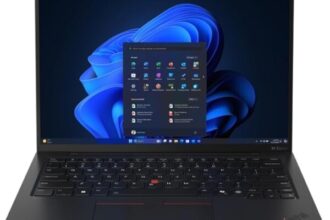
The ThinkPad X1 Carbon has been the benchmark for business laptops for over a decade, and the Gen 14 gives no reason to change that view. At under 1.1 kg, it’s one of the lightest 14-inch business laptops available, yet it meets MIL-SPEC 810H standards for drops, dust, humidity, and temperature extremes — built to survive real-world abuse, not just a clean desk.
The keyboard remains the best on any Windows laptop. If you type for a living, the difference is noticeable within the first five minutes. Windows Hello is supported via both fingerprint reader and IR face recognition. IT departments will appreciate vPro support, BIOS-level manageability, and Lenovo’s enterprise support options. The Gen 14 adds Intel Core Ultra processing with a capable NPU for Copilot+ features, and battery life has improved to a genuine full-day performance.
This is the default recommendation for corporate buyers, professional services firms, and anyone who needs a laptop that will reliably last three to five years of daily use.
Read our full ThinkPad X1 Carbon Gen 14 review
Dell XPS 15 (2026 Edition)
For professionals who need Windows with serious power, the Dell XPS 15 is the premium option. Intel Core Ultra processors, up to 64GB RAM, dedicated Nvidia graphics, and a stunning OLED display option make this a workstation-class machine in a relatively slim chassis. It’s heavier and pricier than the ThinkPad, but the performance ceiling is significantly higher. Architects, engineers, data analysts, and developers running resource-intensive toolchains will appreciate the headroom.
Read our full Dell XPS 15 review
HP OmniBook Ultra Flip 14
Formerly marketed under the HP Spectre x360 name, the OmniBook Ultra Flip 14 is HP’s flagship 2-in-1 and a strong business choice for anyone who wants touchscreen and stylus capability alongside laptop performance. The 2-in-1 form factor adds genuine flexibility — tent mode for presentations, tablet mode for annotation and signing — and the AI-enhanced features sit naturally in an Evo-certified package. Battery life is competitive and the build quality is premium throughout.
Read our full HP OmniBook Ultra Flip 14 review
Best Laptops for Students 2026
Apple MacBook Air M5
Students have been buying MacBook Airs for years for good reason: they last all day on a charge, they don’t slow down after three years, and macOS is well-suited to academic work. The M5 version is the most capable student laptop available. If your budget stretches to it — or if your parents are contributing — this is the laptop to get. It will see most students through their entire degree and beyond without needing replacing.
Read our full MacBook Air M5 review
Lenovo Yoga Slim 7i
For students who want a capable Windows laptop without Apple prices, the Lenovo Yoga Slim 7i is the pick. It’s impressively light, the battery comfortably lasts through a full day of lectures and library sessions, and the Intel Core Ultra chipset handles everything a student will throw at it — note-taking, web browsing, Office, light photo editing, and video calls — without breaking a sweat. The build quality is better than the price suggests. A sensible, no-compromise choice for university or sixth form.
Read our full Lenovo Yoga Slim 7i review
Best Gaming Laptops 2026
ASUS ROG Zephyrus G16
The ASUS ROG Zephyrus G16 is our top gaming laptop pick for 2026. What sets it apart from most gaming machines is that it manages to be genuinely portable — slim enough and light enough to carry daily — while still packing RTX 4090-tier graphics and a high-refresh-rate OLED display that makes games look extraordinary. Most gaming laptops are compromises between power and portability. The Zephyrus G16 is one of the few that genuinely succeeds at both.
The cooling system has been refined over previous generations and sustains performance well under extended gaming loads. The display — a 2560×1600 OLED at 240Hz — is among the best on any laptop. If you’re serious about gaming and need one machine that you can take to work or university without looking like you’re carrying a gaming rig, this is the one.
Read our full ASUS ROG Zephyrus G16 review
MSI Prestige AI Evo
The MSI Prestige AI Evo sits in interesting territory: it’s a machine that blurs the line between gaming and professional use. It’s built around Intel Core Ultra with strong discrete graphics, but in a chassis that looks appropriate in a boardroom as well as at a LAN party. If you want gaming capability without the aggressive aesthetic that most gaming laptops wear, this is worth a look.
Read our full MSI Prestige AI Evo review
Samsung Galaxy Book 5 Ultra
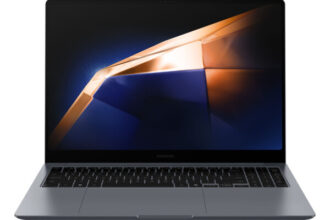
The Samsung Galaxy Book 5 Ultra occupies a similar dual-purpose position — strong enough for demanding games, polished enough for business use. Samsung’s integration with Galaxy ecosystem devices (phones, tablets) is a real advantage for Android users. The AMOLED display is spectacular, and Intel Core Ultra plus discrete Nvidia graphics give it the horsepower to handle AAA titles as well as heavy productivity workloads. A strong pick if you’re embedded in the Samsung ecosystem or want a premium Windows machine that can also game.
Read our full Samsung Galaxy Book 5 Ultra review
Best Laptops for Creative Work and Content Creation 2026
Apple MacBook Pro M5
For professional creative work — video editing, motion graphics, music production, 3D rendering — the MacBook Pro M5 is in a class of its own. The M5 Pro and M5 Max configurations deliver performance that puts most desktop workstations to shame while running cooler and quieter than any Intel or AMD equivalent. Final Cut Pro and Logic Pro are native and optimised, and the performance difference compared to running Adobe Premiere or DaVinci Resolve on Windows hardware at the same price is substantial.
The Liquid Retina XDR display covers 100% of the P3 wide colour gamut with ProMotion 120Hz refresh — critical for colour-accurate creative work. The 14-inch starts at a price point that’s justifiable for working professionals; the 16-inch is the choice for editors and animators who need the screen space. If your income depends on your creative output, the MacBook Pro M5 pays for itself.
Read our full MacBook Pro M5 review
Dell XPS 15 (2026 Edition)
The Windows alternative for creative professionals. If your software stack is Windows-dependent — certain architecture tools, engineering applications, or Adobe workflows where you’re deeply invested in the Windows ecosystem — the XPS 15 with OLED display and dedicated Nvidia graphics is the best Windows choice for colour-accurate creative work. The OLED panel is excellent, and the Core Ultra platform handles demanding Adobe and DaVinci Resolve workloads well.
Read our full Dell XPS 15 review
Best MacBook 2026
The answer depends on your use case. The MacBook Air M5 is the right choice for most people — lighter, fanless, cheaper, and more than fast enough for everyday professional and student use. The MacBook Pro M5 is worth the premium only if you’re doing sustained heavy workloads: long video renders, large Logic Pro sessions, complex 3D work, or running local AI models. For everything else — email, web, documents, coding, video calls — the Air is the better buy.
Best 2-in-1 Laptop 2026
The HP OmniBook Ultra Flip 14 is our top 2-in-1 pick. The convertible form factor works well for professionals who present regularly, annotate documents with a stylus, or want the option to use their laptop in tablet mode without buying a separate device. It doesn’t compromise on laptop performance, and the build quality is flagship-grade throughout. If the 2-in-1 form factor appeals, this is the machine to get.
Quick Comparison: Best Laptops 2026
| Laptop | Approx. Price (GBP) | Processor | RAM | Battery Life | Best For |
|---|---|---|---|---|---|
| MacBook Air M5 | From £1,099 | Apple M5 | 16GB–32GB | 15–18 hours | Best overall, students, everyday use |
| MacBook Pro M5 | From £1,699 | Apple M5 / M5 Pro / M5 Max | 16GB–128GB | 14–22 hours | Creative professionals, heavy workloads |
| ThinkPad X1 Carbon Gen 14 | From £1,399 | Intel Core Ultra 7 | 16GB–64GB | 12–15 hours | Business, corporate IT, travel |
| Dell XPS 15 | From £1,499 | Intel Core Ultra 7/9 | 16GB–64GB | 8–12 hours | Power users, creatives (Windows) |
| HP OmniBook Ultra Flip 14 | From £1,299 | Intel Core Ultra 7 | 16GB–32GB | 10–14 hours | Business 2-in-1, presentations, stylus use |
| Lenovo Yoga Slim 7i | From £799 | Intel Core Ultra 5/7 | 16GB–32GB | 12–15 hours | Students, budget-conscious buyers |
| ASUS ROG Zephyrus G16 | From £1,699 | Intel Core Ultra 9 / AMD Ryzen AI 9 | 16GB–64GB | 6–10 hours | Gaming, portable power users |
| Samsung Galaxy Book 5 Ultra | From £1,799 | Intel Core Ultra 9 | 16GB–64GB | 8–12 hours | Gaming and productivity, Samsung ecosystem |
| MSI Prestige AI Evo | From £1,199 | Intel Core Ultra 7 | 16GB–32GB | 8–12 hours | Gaming meets professional use |
Laptop Buying Guide 2026
If you’re not sure where to start, this section covers the key decisions you’ll face when buying a laptop in 2026.
Processor: Intel Core Ultra vs AMD Ryzen AI vs Apple M5
The processor landscape in 2026 is more fragmented than it’s been in years, but the story is fairly simple:
- Apple M5 — the most efficient option available. Exceptional single-core and multi-core performance, outstanding battery life, no fan noise in Air configuration. The catch: you’re on macOS and Apple’s ecosystem. If that works for you, M5 is the benchmark everything else is measured against.
- Intel Core Ultra (Series 2) — Intel’s competitive answer for Windows. The NPU support for Copilot+ is built in, performance is strong across the range, and battery life on newer thin-and-light designs has improved significantly. The Core Ultra 7 and 9 are capable chips; the Ultra 9 competes meaningfully with AMD in multi-threaded workloads.
- AMD Ryzen AI — found in gaming laptops and a few premium Windows machines. Excellent multi-core performance, competitive NPU, and AMD’s GPU options (in devices with integrated or discrete RDNA graphics) are strong. Less common in pure business machines but dominant in gaming and creator configurations.
RAM: How Much Do You Actually Need?
16GB is the minimum acceptable configuration in 2026. Avoid anything with 8GB — it was barely adequate five years ago and it will hold you back now, particularly with AI features running in the background and modern browsers consuming gigabytes just sitting idle.
- 16GB — adequate for students, general professional use, browsing, Office, video calls
- 32GB — recommended for developers, video editors, anyone running virtual machines or multiple demanding applications simultaneously
- 64GB+ — relevant for 3D artists, engineers running large simulations, and heavy data workloads
On Apple Silicon, RAM is used differently — M5 unified memory is more efficient than traditional RAM, so 16GB on a MacBook Air M5 is more capable in practice than 16GB on a comparable Windows machine.
Storage: Don’t Cut Corners
512GB SSD is the practical minimum for a primary laptop in 2026. Operating system, apps, and a year’s worth of files — documents, downloads, project files — will fill 256GB faster than most buyers expect. Recommendations:
- 512GB — minimum for anyone who doesn’t store media locally
- 1TB — recommended for most buyers; leaves comfortable headroom for 2–3 years of normal use
- 2TB+ — video editors, photographers, audio engineers, or anyone who doesn’t want to manage external drives
Most premium laptops ship with fast NVMe SSDs. The speed difference between good and great NVMe storage is noticeable mostly in large file transfers and boot times — not in day-to-day use.
Display: 1080p vs 1440p vs OLED
At 14 and 15 inches, a 1080p display looks noticeably less sharp than 1440p or higher resolution alternatives. For a laptop you’ll use daily, it’s worth stepping up to at least 1920×1200 or 2560×1600.
- 1080p (1920×1080) — acceptable on budget machines, noticeably soft on 15-inch and above
- 2K / QHD (2560×1440 or 2560×1600) — the sweet spot for sharpness and battery efficiency; excellent for everyday use
- OLED — superior contrast, deeper blacks, and more vibrant colour than IPS or TN panels. The trade-off is potential burn-in over years of use with static content, and historically higher cost. Worth it for creative work and media consumption; less critical for business documents
- AMOLED (Samsung) — Samsung’s implementation of OLED, found in Galaxy Book devices; excellent quality
- HP ProBook 450 G10
- Best Gaming Laptops 2026
- Best 2-in-1 Laptops 2026
Battery Life: Real-World vs Rated
Manufacturer battery claims are almost always measured under optimistic conditions — low screen brightness, light tasks, specific power profiles. For real-world planning, expect 60–70% of the advertised figure under normal use (web browsing, video calls, documents at typical brightness).
The exceptions are Apple Silicon MacBooks — Apple’s battery claims tend to be conservative, and real-world performance often matches or slightly exceeds them. For Windows machines, the gap between claimed and real-world is more pronounced.
For full-day untethered working, look for rated battery life above 15 hours on Windows machines, or 12+ hours on Apple, and you’ll be comfortable in practice.
AI Features and Copilot+: Do They Matter Yet?
In 2026, AI features on laptops are improving but still not the primary reason to buy a machine. Windows 11 Copilot+ requires a capable NPU (40 TOPS minimum) — all the Intel Core Ultra Series 2 and AMD Ryzen AI 300 machines on this list qualify. Features like Recall (an AI-powered timeline of your activity), live captions, and AI-assisted image generation are present and increasingly useful, but they are not yet at the stage where they should drive your buying decision.
If you’re buying for a business environment, check whether your organisation’s IT policy has a view on Recall and similar features — there are legitimate data governance considerations for some industries.
Buy for performance, battery, build, and screen. The AI features are a bonus for most buyers at this stage.
New vs Refurbished: When Refurbished Makes Sense
Refurbished laptops make strong sense in specific scenarios, particularly for business buyers deploying multiple machines. A refurbished ThinkPad X1 Carbon from two or three generations back — bought through Lenovo’s certified refurbished programme or a reputable reseller — can deliver excellent performance at 40–60% of new price. For small businesses equipping staff with Windows machines for Office and web use, this is a genuinely sensible route.
Where to be cautious with refurbished: battery condition (ask for a report or replacement guarantee), warranty terms, and whether the device is Copilot+ compatible if that matters for your use case. Avoid third-party refurbishers without a clear returns policy and stated battery health.
For Apple machines, Apple’s own refurbished store is excellent — devices are indistinguishable from new, covered by standard warranty, and typically 15–20% cheaper than new retail.
Which Laptop Should You Buy?
For most buyers, the MacBook Air M5 is the answer. For Windows business users, the ThinkPad X1 Carbon Gen 14 is the professional benchmark. For serious gaming, the ASUS ROG Zephyrus G16 is outstanding. For professional creative work, nothing touches the MacBook Pro M5.
Each laptop in this guide has a full review linked above — click through for detailed specs, benchmarks, and a final verdict to help you make the right call for your budget and use case.