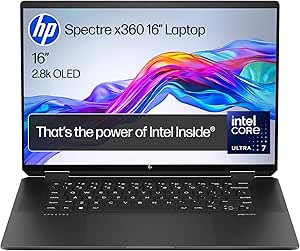
If you’ve landed here searching for the HP Spectre x360 2026, you’re in the right place — but there’s something you need to know first. HP has discontinued the Spectre x360 name entirely and replaced it with the HP OmniBook Ultra Flip 14. It’s the same premium HP 2-in-1 philosophy, same target audience, newer chip, better display. This is the laptop HP wants you to buy instead.
🛈 Affiliate disclosure: This page contains Amazon affiliate links. If you purchase through our links we may earn a small commission at no extra cost to you.
Here’s everything you need to know — real specs, real reviewer verdicts, and an honest take on whether it’s worth the premium price.
Quick Verdict
The HP OmniBook Ultra Flip 14 is a beautifully built premium 2-in-1 with one of the best laptop displays available, genuinely impressive battery life, and a chassis that’s thinner and lighter than the Spectre x360 it replaces. It’s not for everyone — the port situation is a real frustration, performance trails the MacBook Air M3, and the price is steep. But if you want a premium Windows convertible for productivity, travel, and content consumption, this is the best HP has ever made.
Key Specifications
| Component | Details |
|---|---|
| Display | 14″ 2880×1800 OLED, 120Hz, 0.2ms, 100% DCI-P3, HDR 500 nits, Gorilla Glass 5 |
| Processor options | Intel Core Ultra 5 226V / Ultra 7 256V / Ultra 7 258V / Ultra 9 288V (Lunar Lake) |
| GPU | Intel Arc Graphics 140V (integrated, all models) |
| RAM | 16GB LPDDR5x (Ultra 5 / Ultra 7 256V) or 32GB LPDDR5x (Ultra 7 258V / Ultra 9) |
| Storage | 512GB / 1TB / 2TB PCIe NVMe SSD |
| Battery | 64Wh — up to 18 hours video playback, 12+ hours real-world |
| Weight | 1.34–1.35 kg (2.95 lbs) |
| Thickness | 14.9mm (0.59″) |
| Ports | 2× Thunderbolt 4, 1× USB-C 3.2 Gen 2, 3.5mm audio — no USB-A |
| Connectivity | WiFi 7, Bluetooth 5.4 |
| Webcam | 9MP IR AI camera with privacy shutter |
| OS | Windows 11 Home or Pro, Copilot+ PC |
| UK price | From ~£1,299 (Core Ultra 5) to ~£1,899 (Core Ultra 9, 32GB, 2TB) |
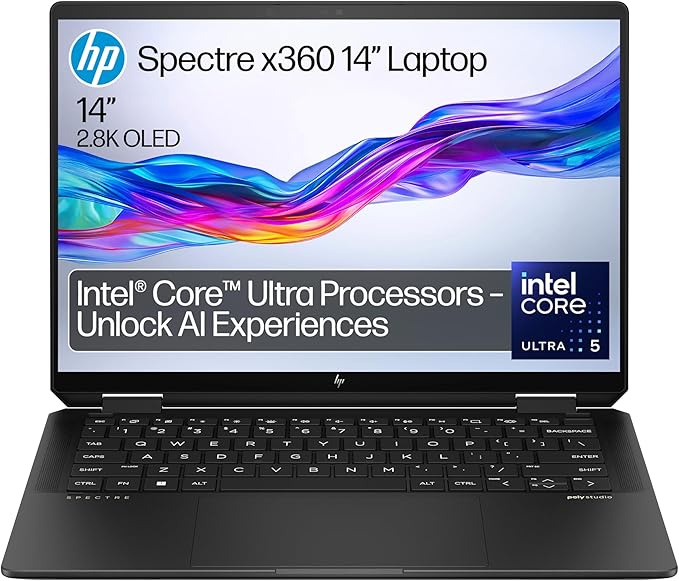
The successor to the HP Spectre x360 — premium 2-in-1 with 120Hz OLED display, Intel Core Ultra (Lunar Lake), and all-day battery life.
Display — The Standout Feature
Every reviewer agrees on this: the display is exceptional. The 14″ 2880×1800 OLED panel runs at 120Hz (up from 60Hz on the Spectre x360), covers 100% of the DCI-P3 colour gamut, and hits 500 nits in HDR mode. Tom’s Hardware called it “mesmerizing.” Live Science described it as “breathtaking.” RTINGS praised the contrast and colour accuracy as best-in-class for a Windows laptop.
For video content, creative work, and general everyday use, it’s hard to fault. The 120Hz refresh makes scrolling and animations visibly smoother than the old Spectre x360.
Battery Life — Genuinely All-Day
This is where Intel’s Lunar Lake architecture delivers. Real-world results from independent testing:
- PCWorld: 17.5 hours (4K video loop)
- TechRadar: 18 hours (continuous movie playback)
- Tom’s Hardware: 12 hours (mixed browsing and streaming at 150 nits)
- Laptop Mag: 12+ hours real-world productivity
For a Windows laptop this thin, these numbers are exceptional. You can genuinely use it all day without hunting for a socket — something the old Spectre x360 couldn’t reliably claim.
Performance — Efficient, Not Powerful
The Lunar Lake processors prioritise efficiency over raw power, and it shows. For productivity tasks — Office, web browsing, video calls, light photo editing — performance is smooth and responsive. Thermals are well managed in such a thin chassis.
However, if you’re comparing against alternatives:
- The MacBook Air M3 beats it in both single and multi-core benchmarks
- The Dell XPS 13 with Snapdragon X Elite also outperforms it in raw throughput
- It loses to Intel H-series chips in sustained multi-core workloads
If you need to run heavy workloads — video editing, 3D rendering, large data models — this isn’t the right machine. It’s built for efficiency and portability, not performance ceiling.
Pros and Cons
What reviewers like
- Exceptional OLED display — 120Hz, HDR, best-in-class colour accuracy
- Genuinely all-day battery life (17-18 hours video, 12+ hours real-world)
- Premium build quality — solid, well-engineered, luxurious feel
- Thin and light — 1.34kg and 14.9mm is impressive for a 14″ 2-in-1
- Good keyboard and haptic trackpad
- 9MP webcam — noticeably better than most laptop cameras
- Copilot+ PC certified with AI-accelerated features
What reviewers criticise
- Port placement is a genuine problem — all three USB-C ports are on the rear corners, making cables and USB drives awkward in tablet or tent mode. Laptop Mag called this a “critical flaw.”
- No USB-A — removed from the Spectre x360 design. You’ll need a hub for legacy devices.
- Stylus attachment is weak — the included pen attaches magnetically but detaches easily in a bag.
- McAfee bloatware — pre-installed and persistent, difficult to remove fully.
- Premium price, moderate performance — at £1,299+ you’re paying for design and display, not processing power.
How It Compares to the Old HP Spectre x360
| Feature | OmniBook Ultra Flip 14 | Spectre x360 14 (2024) |
|---|---|---|
| Processor | Intel Core Ultra Series 2 (Lunar Lake) | Intel Core Ultra Series 1 |
| Display refresh | 120Hz OLED | 60Hz OLED |
| Battery life | 17-18 hours (video) | ~10-12 hours |
| Weight | 1.34 kg | 1.45 kg |
| Thickness | 14.9mm | 17mm |
| USB-A port | No | Yes |
| Starting price (UK) | ~£1,299 | Was ~£1,199 |
The OmniBook Ultra Flip is thinner, lighter, has a significantly better display refresh rate, and dramatically better battery life. The trade-off is the loss of USB-A and higher pricing. If you’re upgrading from an older Spectre x360, the display and battery improvements alone justify it for most users.
Who Should Buy It
It’s a strong choice for:
- Business travellers who need all-day battery and a lightweight premium machine
- Remote workers prioritising display quality for long hours of screen time
- Students who want touchscreen note-taking with stylus support
- Content consumers — the OLED at 120Hz is exceptional for video and streaming
- Light creative work — photo editing, presentations, writing
Look elsewhere if you need:
- Maximum performance for video editing or 3D rendering
- USB-A ports without a dongle
- Gaming capability beyond light titles
- The best value for money — the MacBook Air M5 outperforms it at a similar price
The successor to the HP Spectre x360 — premium 2-in-1 with 120Hz OLED display, Intel Core Ultra (Lunar Lake), and all-day battery life.
Frequently Asked Questions
Is the HP OmniBook Ultra Flip 14 the same as the HP Spectre x360?
It’s the direct successor. HP discontinued the Spectre x360 name in 2025 and rebranded their premium 2-in-1 line to OmniBook Ultra. The OmniBook Ultra Flip 14 replaces the Spectre x360 14 with a newer processor, higher refresh rate display, and better battery life in a thinner chassis.
Does it come with the stylus?
Some configurations include the HP MPP 2.0 Tilt Pen — check the specific model listing. Be aware the magnetic attachment is weak and the pen can fall off in a bag.
How does it compare to the MacBook Air M5?
The MacBook Air M5 outperforms it in benchmarks and is similarly priced. If you’re open to macOS, the MacBook Air M5 offers better performance per pound. The OmniBook Ultra Flip wins on touchscreen, 2-in-1 flexibility, and OLED display quality — and runs Windows.
Can it handle gaming?
Light gaming only. The Intel Arc Graphics 140V handles older titles and indie games but isn’t built for modern AAA gaming. For gaming, look at the ASUS ROG Zephyrus G16 instead.