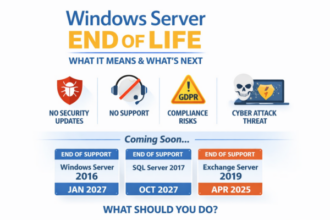
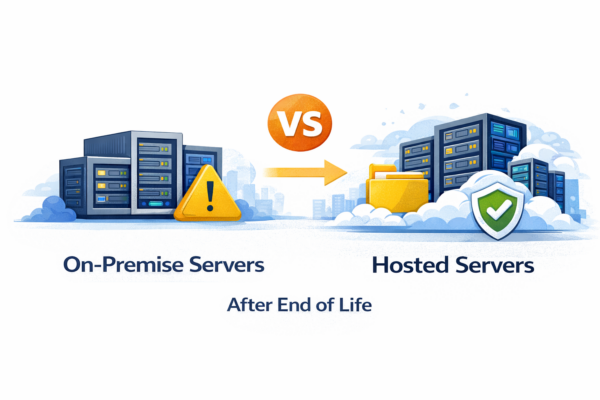
On prem vs hosted servers becomes a decisive choice after end of life, affecting cost, security, confidence, and long-term business resilience.
Why This Decision Matters After End of Life
When a server reaches end of life, the question is no longer if you must act, but how. Businesses often feel torn between replacing hardware on-site or moving workloads into a hosted environment.
Understanding the real differences between on prem vs hosted servers helps remove uncertainty and prevents costly, rushed decisions.
What “On-Prem” Really Means Today
On-premise servers are physically located within your building and managed directly or via a support provider.
After end of life, this usually involves:
- Purchasing new hardware
- Migrating data and applications
- Managing future upgrades yourself
- Accepting responsibility for resilience and recovery
For some organisations, this feels reassuring. For others, it creates ongoing pressure.
What Hosted Servers Actually Offer
Hosted servers run in enterprise-grade data centres but remain dedicated to your business.
Typically, this includes:
- Dedicated virtual machines
- Enterprise hardware without ownership risk
- Proactive monitoring and support
- Easier lifecycle upgrades
Hosted does not mean shared consumer cloud — control and performance remain intact.
Cost Comparison: Capital vs Predictability
On-Prem Servers
- High upfront capital expenditure
- Hardware refresh every 3–5 years
- Power, cooling, and maintenance costs
- Unexpected failure expenses
Hosted Servers
- Monthly operational expenditure
- Predictable budgeting
- No hardware replacement costs
- Lifecycle upgrades built in
Cost certainty often brings peace of mind during growth or uncertainty.
Security and Compliance Differences
On-Prem
- Security depends on patch discipline
- Physical access risks
- Responsibility for backup and recovery
- Greater exposure if maintenance slips
Hosted
- Enterprise-grade physical security
- Regular patching and monitoring
- Easier compliance alignment
- Stronger ransomware resilience
After end of life, security gaps tend to widen faster on ageing on-prem platforms.
Downtime and Business Continuity
On-Prem
- Single-site dependency
- Hardware failure causes disruption
- Recovery relies heavily on backups
Hosted
- Built-in redundancy
- Faster recovery options
- Reduced single points of failure
Downtime is rarely planned — resilience should be.
Flexibility and the Next End of Life Cycle
On-prem servers often lock businesses into fixed hardware decisions. Hosted environments allow operating systems, applications, and capacity to evolve without starting from scratch again.
This makes the next end-of-life moment calmer and far less disruptive.
Which Option Is Right for You?
On-prem may still suit:
- Highly specialised hardware needs
- Strict on-site requirements
- Internal IT teams managing infrastructure daily
Hosted is often better for:
- ERP and SQL workloads
- Remote or hybrid teams
- Businesses seeking stability over ownership
- Those wanting to avoid repeat end-of-life stress
Final Thoughts
After end of life, the choice between on prem vs hosted servers is less about technology and more about control, confidence, and continuity. The best option is the one that removes future panic rather than postponing it.
Related Posts
Migration Planning: Timeline, Licensing, and Compliance
Once you’ve decided to move to hosted servers, the transition itself demands careful planning. A rushed migration often costs more than the new infrastructure — lost productivity, data integrity issues, or unexpected licensing bills can quickly erase the budget savings you’re expecting to gain.
Phased migration is almost always the right approach. Rather than switching everything overnight, consider moving workloads in stages: non-critical systems first, then databases, then user-facing applications. This reduces risk and gives your team time to adapt without disruption. Most organisations complete the transition over 4–8 weeks, though larger environments may take 3–6 months. A phased plan also lets you validate each step before committing the next one.
Licensing changes often surprise businesses. Windows Server licensing differs significantly between on-premise and hosted environments. Some organisations find their existing licences won’t transfer to a hosted platform, or that hosted providers use different licensing models (per-core, per-socket, or subscription-based). SQL Server licensing is equally complex — hosted providers may charge differently based on edition and instance type. Budget for a licensing review as part of your migration plan, not as an afterthought.
Data residency matters in the UK. If you process customer data or operate under UK GDPR, data location is non-negotiable. Ensure your hosted provider stores backups and active data within UK or EU data centres. Some providers offer UK-specific regions; verify this before signing contracts. Regulatory compliance during migration requires careful handover — old systems must be securely decommissioned, and audit trails must remain unbroken.
Budget migration costs separately. Beyond the monthly hosting fee, expect costs for: data transfer and validation, staff training on new platforms, third-party migration tools, and contingency time if issues arise. Most organisations spend 15–25% of their first year’s hosting costs on the actual transition work. Planning for this upfront prevents project stalls or corner-cutting that undermines the entire exercise.