Best Free Antivirus – Start Here
If you’re searching for the best free antivirus, you’re not alone. After dealing with pop-ups, viruses, or ransomware, most home users want protection without paying monthly fees. This guide explains which free antivirus options actually work, what they protect you from, and how to use them safely.
What “Best Free Antivirus” Really Means
When people search best free antivirus, they usually want:
- Real protection, not a trial
- No payment details required
- No aggressive upselling
- Low impact on PC performance
Free antivirus software has improved significantly, and for many home users it is more than enough.
Why You Should Always Have Antivirus Installed
Even careful users can accidentally click the wrong link or download something unsafe. The best free antivirus helps by:
- Blocking known viruses and malware
- Scanning downloads automatically
- Detecting dangerous websites
- Protecting against common ransomware
Running without antivirus is no longer safe.
Option 1: Microsoft Defender (Built Into Windows)
For most people, the best free antivirus is already installed.
Microsoft Defender:
- Comes built into Windows 10 and 11
- Runs automatically in the background
- Updates itself through Windows Update
- Has excellent detection rates for common threats
For many home users, Microsoft Defender alone is enough when combined with safe browsing habits.
Option 2: Using a Second Free Scanner (Safely)
Some users prefer extra reassurance. The best way to do this is to add one additional free scanner.
Important rules when using free antivirus tools:
- Only one real-time antivirus should run
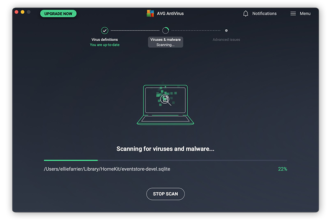
- Additional tools should be on-demand only
- Never run two real-time engines together
This approach keeps your system protected without slowing it down.
How to Set Up the Best Free Antivirus Properly
To get the most from the best free antivirus, follow these steps:
- Keep Windows Updates turned on
- Ensure real-time protection is enabled
- Schedule weekly scans
- Allow automatic definition updates
Most infections happen on unpatched systems.
What the Best Free Antivirus Does NOT Include
It’s important to be realistic. Even the best free antivirus usually does not include:
- VPN services
- Identity theft insurance
- Advanced parental controls
- Premium technical support
These extras are not essential for basic home protection.
When Free Antivirus Is Enough
The best free antivirus is usually sufficient if you:
- Use your PC for browsing, email, and shopping
- Avoid pirated software
- Keep Windows updated
- Back up important files
Millions of users rely on free antivirus successfully every day.
When You Should Consider Paid Antivirus
You may want paid antivirus if:
- You manage multiple family devices
- You want parental controls
- You need protection for business use
- You want a single dashboard for all devices
Even then, free antivirus is still far better than nothing.
Common Mistakes That Reduce Free Antivirus Protection
Avoid these mistakes:
- Turning antivirus off because it “slows the PC”
- Ignoring update notifications
- Installing multiple antivirus tools at once
- Clicking “Allow” on unknown websites
These mistakes make even the best free antivirus ineffective.
How to Combine Free Antivirus With Smart Habits
The best free antivirus works best when combined with:
- Regular backups
- Caution with email links
- Careful downloading
- Strong passwords and two-factor authentication
Security is about layers, not just software.
Summary: Best Free Antivirus for Home Users
For most home users, the best free antivirus is Microsoft Defender combined with safe browsing habits and regular updates. You do not need to spend money to stay protected, and free antivirus software is more capable today than ever before.