Is My Computer Infected?
If you’ve recently asked yourself “is my computer infected?”, this guide will help you find out quickly. These are the 10 most common symptoms of infection and simple checks you can do at home, without paying for IT support.
What It Means When You Ask “Is My Computer Infected?”
When users begin to wonder is my computer infected, it’s usually because something has suddenly changed — the computer is slow, pop-ups appear, or apps behave strangely.
A computer infection can slow your PC down, change settings, show ads, steal data, or in worst cases, encrypt your files.
1. Your PC Suddenly Becomes Slow
A sudden slowdown is one of the most common clues when checking is my computer infected.
To check:
- Press CTRL + SHIFT + ESC to open Task Manager
- Look for unknown programs using a lot of CPU or Memory
If you see strange processes at the top of the list, that may indicate malware.
2. Pop-Ups Appear Constantly
Constant pop-ups, even on trusted websites, are strong signs of adware or malware.
If you’re asking yourself “is my computer infected because of these pop-ups?”, the answer might be yes.
3. Your Homepage or Search Engine Has Changed
A browser hijacker is one of the clearest signs.
Check your browser settings — if your homepage or search engine changed without your approval, that supports the suspicion of is my computer infected.
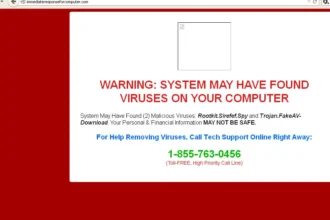
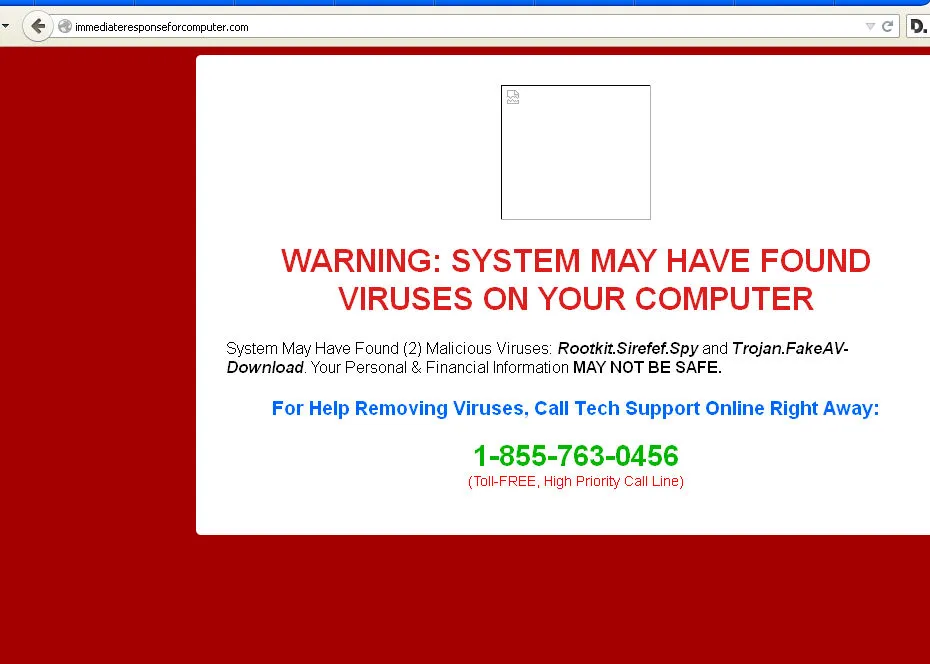
4. Fake Virus Warnings Appear on Screen
Scammers use fake warnings to make you think your PC is infected.
These usually shout, flash, beep, or show a phone number.
Real antivirus software never displays warnings like this.
5. New Apps Appear That You Didn’t Install
New, unfamiliar programs suddenly appearing is a major red flag.
Go to: Start → Settings → Apps → Installed Apps
Sort by date and check for anything suspicious.
This is one of the top signs people see before searching is my computer infected.
6. Your Fan Runs Constantly Even When Idle
If your PC fan runs loudly all the time, even when you’re not doing anything, malware may be using your system resources.
Crypto-mining malware often causes this.
7. Strange Emails Are Being Sent From Your Account
If contacts report emails you didn’t send, you should seriously consider is my computer infected or whether your account has been compromised.
Check your Sent folder for messages you don’t recognise.
8. Your PC Crashes or Restarts Unexpectedly
Frequent crashes, freezes, or restarts can happen when malware interferes with essential system processes.
If this began suddenly, it fits the pattern of is my computer infected.
9. Antivirus or Security Tools Won’t Open
Some malware blocks antivirus tools from running.
If Windows Security or your antivirus closes instantly, it’s another sign your system may be infected.
10. Files Are Encrypted or Renamed
If your files suddenly have new extensions such as .locked or .encrypted, or you see ransom messages, the answer to “is my computer infected?” is almost certainly yes.
This is ransomware, one of the most severe forms of infection.
How Many Signs Can You See?
If you recognise two or more of the symptoms above, your answer to is my computer infected is likely yes.
Common combinations include:
- Slow PC + Pop-ups
- Changed homepage + New apps
- Crashes + Security tools blocked
What to Do Next If You Think “Is My Computer Infected?”
If you suspect infection:
- Avoid logging into banking or shopping sites.
- Don’t enter any passwords on the affected device.
- Follow a safe, structured cleanup process.
Your next step:
Read – How to Remove a Virus From Your PC for Free – Step-by-Step
This guide walks you through cleaning your system without paying for IT support.