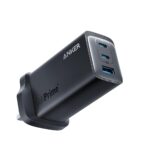
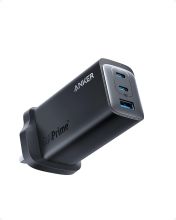
Whether you need a fast home charger or a portable travel companion, we’ve tested the best USB-C chargers for MacBook Pro models in 2026. The standout? The Anker 737 GaNPrime.
Quick List
- Anker 737 GaNPrime – Best overall performance
- Anker 735 GaNPrime – Best budget option
- Ugreen Nexode 140W – Fastest single-port charging
- Satechi 165W USB-C 4-Port – Best for multi-device setups
Why the Anker 737 is #1
- True 120W output across ports
- Excellent heat management
- Works with iPhone, iPad, Steam Deck
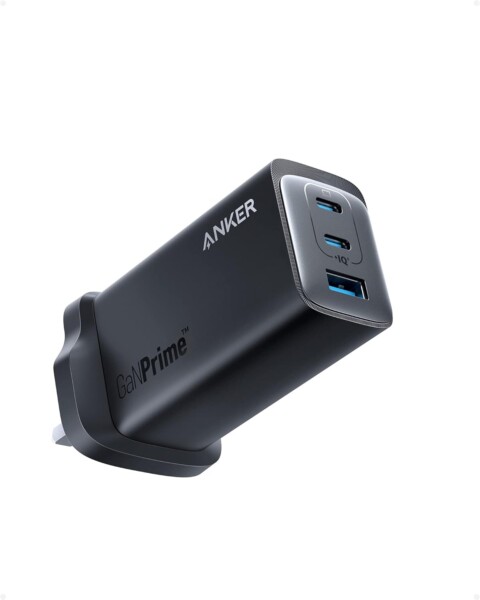
Anker 737
Whether you need a fast home charger or a portable travel companion, we’ve tested the best USB-C chargers for MacBook Pro models in 2025. The standout? The Anker 737 GaNPrime.
Related Posts
- Anker 737 Review (2025) – Ultimate 120W USB-C Charger?
- Anker 737 vs 735 – Which GaNPrime Charger Do You Need?
- Anker 737 Troubleshooting: Overheating, Slow Charging
- Best Accessories for Anker 737 GaNPrime
Single-Port vs Multi-Port: Which Charger Setup Is Right for You?
The quick list includes both single-port champions (the Ugreen Nexode 140W) and multi-port options (the Satechi 165W). Understanding the trade-offs between them helps you make the right choice for your situation.
Single-Port Chargers: Peak Performance
A single-port charger like the Ugreen Nexode delivers its entire 140W output to your MacBook Pro, ensuring the fastest possible charging speed. These chargers are typically smaller, lighter, and less expensive than multi-port alternatives. If you travel frequently, work from various locations, or primarily charge just your MacBook, a premium single-port charger is the practical choice. The compact form factor means it fits easily into laptop bags without adding noticeable weight.
Multi-Port Chargers: Convenience and Flexibility
The Satechi 165W’s four ports let you charge your MacBook, iPhone, Apple Watch, and iPad simultaneously from one socket. This dramatically reduces desk clutter and eliminates the frustration of finding the right charger when you’re heading out. However, power distributes across all ports—your MacBook might receive only 50–70W if other devices are actively charging, which slows charging times considerably compared to a dedicated single-port solution.
Matching Your Usage Pattern
Home office workers with limited socket availability benefit significantly from multi-port setups. You reduce cable mess and always have sufficient outlets for all devices. Conversely, frequent business travellers prioritise weight and size over simultaneous charging convenience. Consider your actual daily pattern: do you charge multiple devices at the same time, or at different times throughout the day?
The Hybrid Approach
Many users get maximum value from owning both chargers. Keep a compact single-port charger in your laptop bag for travel, and position a multi-port model at your desk. Different use cases genuinely benefit from different chargers. This isn’t excessive—it’s matching equipment to realistic workflows.
Understanding Wattage and MacBook Compatibility
Not all USB-C chargers are created equal, and matching the right wattage to your MacBook Pro model ensures optimal charging performance and protects device longevity. Modern MacBook Pros support USB Power Delivery (USB-PD), a standardised protocol that lets them negotiate power dynamically with any compatible charger.
The latest 16-inch MacBook Pro (M4 Max, 2024–2026) supports up to 140W charging, making the Ugreen Nexode 140W charger an ideal match. The 14-inch MacBook Pro models typically max out at 96W, so a 120W charger like the Anker 737 GaNPrime is more than adequate and provides future-proofing headroom. Even with older Intel-based or M1 MacBook models, a 120W charger will charge them safely—your MacBook’s firmware simply draws only the power it requires, no more.
A common misconception: using a more powerful charger than your MacBook requires will not damage it. The laptop’s power management circuitry accepts only what it needs. However, using an underpowered charger (below 65W for modern MacBook Pros) can result in slow charging or even discharge whilst in use during intensive workloads, defeating the purpose of owning a premium charger.
To identify your model’s requirements, check your MacBook’s system information. On macOS, navigate to Apple Menu → About This Mac → System Report → Hardware Overview and note your year and chip generation. Cross-reference this against the charger specifications: all four options in this guide support every current MacBook Pro from 2020 onwards.
If your MacBook is several years old, upgrading to a modern GaN charger often delivers noticeable speed improvements. Battery degradation happens naturally over 2–3 years, and newer charger technology can deliver 30–40% faster charging times on older hardware, making the upgrade worthwhile if you rely on your MacBook for mobile work.