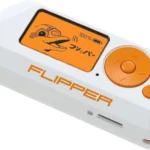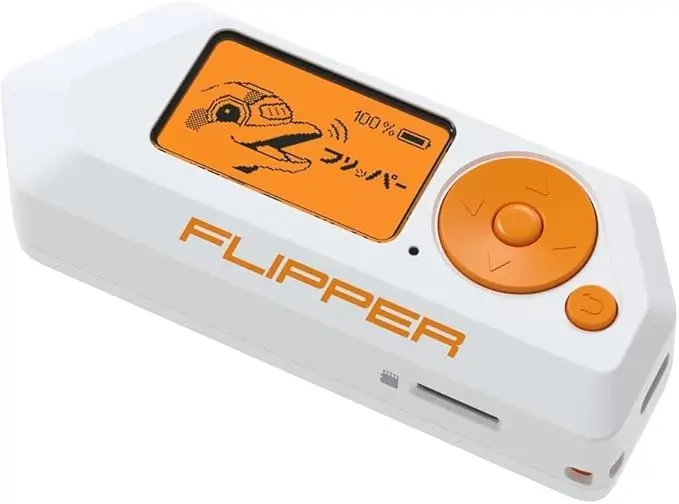
What Can the Flipper Zero Do? The Flipper Zero combines several different technologies into one handheld device. Each feature works independently and is designed to help users learn, test, and understand everyday electronics and wireless communication. This guide breaks down each function separately, explains what it does, and clearly states what it can and cannot be used for in 2026.
NFC (Near Field Communication)
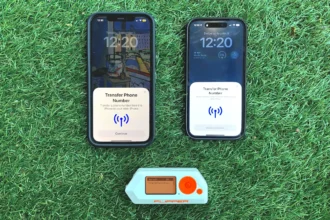
NFC is used for short-range wireless communication at 13.56 MHz. You’ll find NFC in phones, contactless cards, smart devices, and automation tags.
What Flipper Zero can do with NFC:
Read NFC tags and cards you own
Identify the NFC chip type
Show publicly available NFC data
Create simple NFC tags for automation
Store and organise NFC scans
What it cannot do:
Read bank cards
Bypass encryption
Access secure building cards
Clone protected NFC systems
In 2026, encrypted NFC cards will show limited information only. This is normal and indicates strong security.
RFID (Low-Frequency 125 kHz)
RFID on the Flipper Zero refers to low-frequency access tags, commonly used in older systems.
What Flipper Zero can do with RFID:
Read 125 kHz RFID tags
Identify tag formats (EM4100, HID Prox, T5577, etc.)
Determine whether a card uses outdated technology
Store RFID scans for reference
What it cannot do:
Break encryption
Access secure systems
Interact with modern encrypted cards
Modify access permissions
RFID is useful for understanding how old access systems work and identifying weak or outdated cards.
Sub-GHz (Wireless Signals Below 1 GHz)
Sub-GHz is used by many household devices, including remotes and sensors.
What Flipper Zero can do with Sub-GHz:
Detect Sub-GHz signals
Identify frequency ranges
Show whether a signal is fixed or rolling code
Scan sensors and remotes you own
Analyse signal behaviour
What it cannot do:
Open garages
Unlock cars
Replay rolling-code signals
Interact with encrypted systems
In 2026, firmware automatically blocks restricted frequencies and unsafe usage.
Infrared (IR)
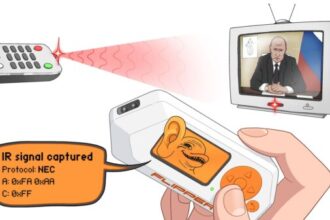
Infrared is one of the most beginner-friendly Flipper Zero features.
What Flipper Zero can do with IR:
Read IR signals from remotes
Store IR commands
Control TVs and appliances you own
Identify unknown remotes
Test IR compatibility
What it cannot do:
Control devices without line-of-sight
Bypass pairing systems
Interact with RF-only devices
IR is safe, visible, and ideal for learning how remotes work.
Bluetooth (Broadcast Detection Only)
The Flipper Zero can detect Bluetooth Low Energy (BLE) broadcasts.
What Flipper Zero can do with Bluetooth:
Detect nearby BLE devices
Show device identifiers
Display signal strength
Identify broadcasting patterns
What it cannot do:
Pair with devices
Connect to headphones
Access Bluetooth data
Control smart devices
Bluetooth scanning is informational and educational only.
Wi-Fi Dev Board (Optional Accessory)
The Wi-Fi Dev Board expands the Flipper Zero’s capabilities but does not add hacking features.
What it can do:
Scan Wi-Fi channels
Analyse signal congestion
Diagnose home network coverage
Support wireless firmware updates
Monitor IoT broadcast behaviour
What it cannot do:
Access Wi-Fi passwords
Break encryption
Connect to networks without permission
Intercept traffic
It is designed for diagnostics and learning.
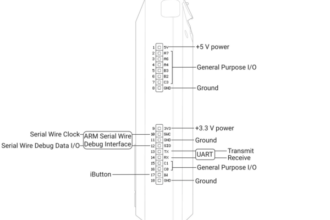
GPIO (Hardware Learning Interface)
GPIO allows the Flipper Zero to interact with electronics projects.
What Flipper Zero can do with GPIO:
Control LEDs and relays
Read sensor input
Learn basic electronics
Interface with microcontrollers
What it cannot do:
Replace industrial controllers
Power high-voltage devices
Bypass hardware security
GPIO is used mainly for education and prototyping.
File Management
The Flipper Zero stores scans, signals, and apps locally.
What you can do:
Save scans
Organise files
Delete unused data
Manage apps
This helps keep the device organised and backed up.
Built-In Tools
The Tools menu provides useful system utilities.
Includes:
Battery monitoring
System diagnostics
GPIO testing
Timers and tools
These support maintenance and learning rather than signal scanning.
What the Flipper Zero Is NOT
In 2026, it is important to be clear about what the Flipper Zero cannot do:
It cannot hack Wi-Fi
It cannot unlock cars
It cannot clone bank cards
It cannot bypass secure systems
It cannot spy on people
The device is a learning, testing, and awareness tool.
Who the Flipper Zero Is For
The Flipper Zero is ideal for:
Beginners learning cybersecurity
IT students
Home technology enthusiasts
Smart home owners
Electronics hobbyists
It is not designed for illegal or intrusive activity.
Final Thoughts
When broken down into individual components, the Flipper Zero becomes much easier to understand. Each feature has a specific purpose, clear limits, and practical educational value. In 2026, the device is more restricted, safer, and better documented than ever—making it a powerful learning tool when used correctly.